
-
Created by
 European Dynamics Trans Contractor, last updated on Jul 06, 2026
3 minute read
European Dynamics Trans Contractor, last updated on Jul 06, 2026
3 minute read
Navigate to Send Notifications > Exemptions on scheduled services > Create new exemption.
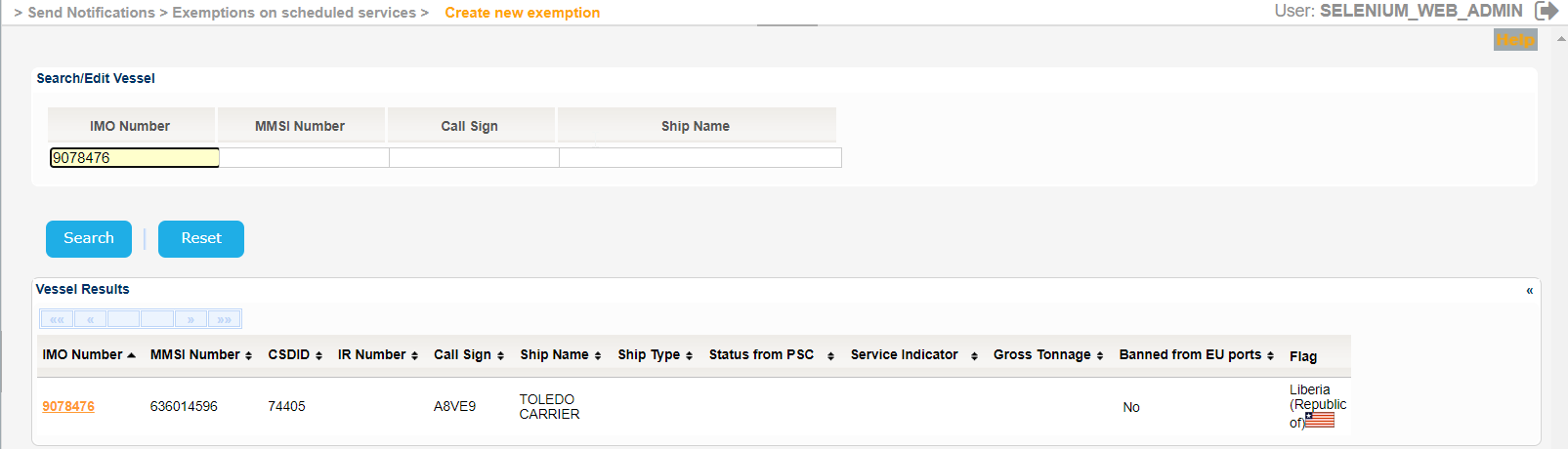
The application will present the Vessel search form.
Fill in at least one of the IMO Number, MMSI Number, Call Sign or Ship Name and click on Search button.
The application will present the list of Vessels that the meet the search criteria:
The Service Indicator and Ship Type codes and labels are provided in the attached files:
Select one of the Vessels and click on the IMO Number link.
The application will present a new screen with the Vessel Identification and the following sections:
- Type of Exception
- Exemption Validity
- Exemption Granted by
- Route
- Exemption applies to
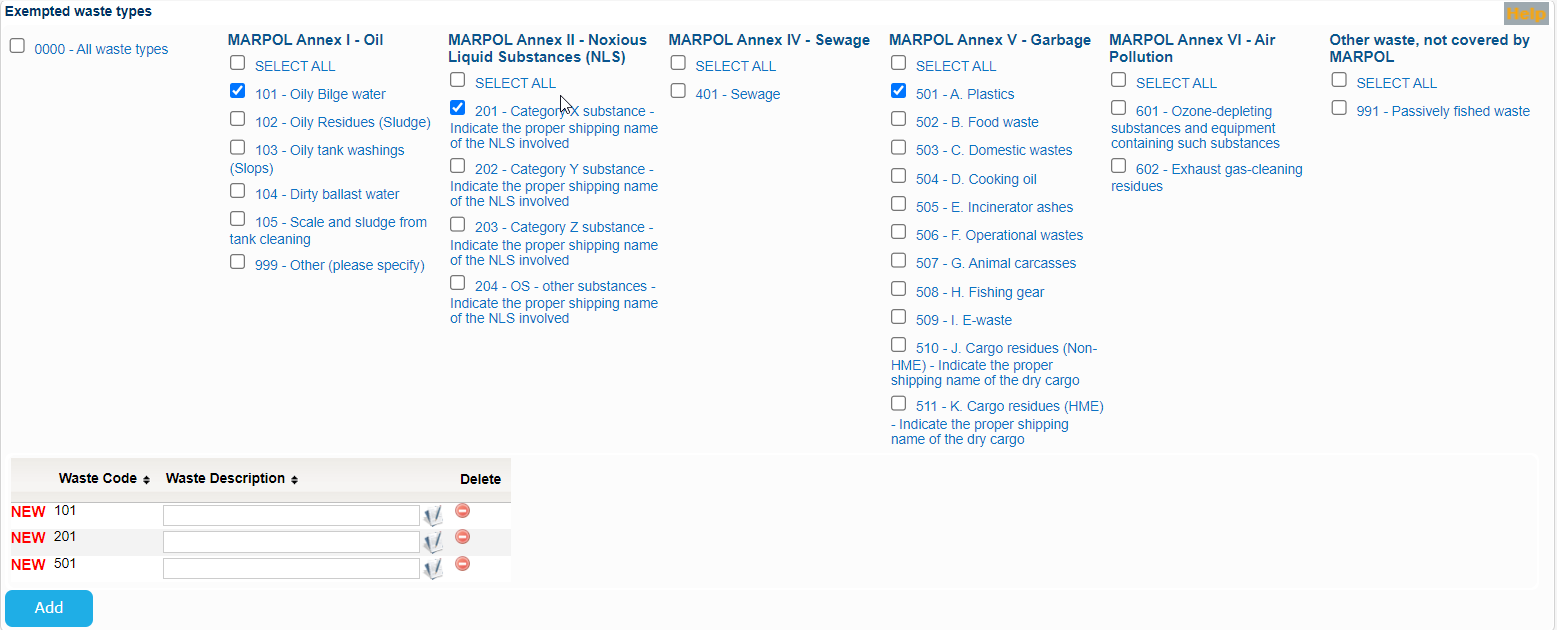
- Exempted waste types
- Authority Details
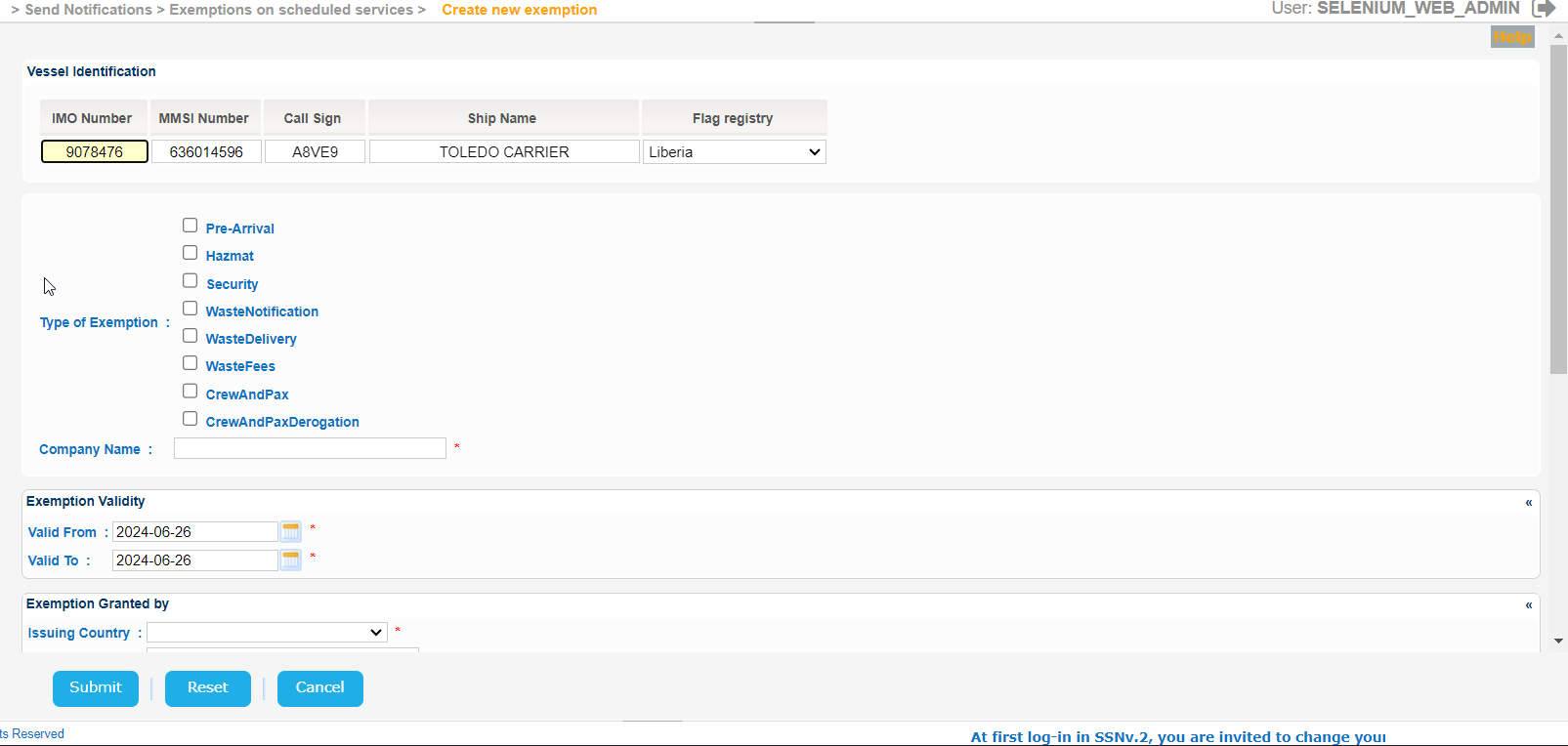
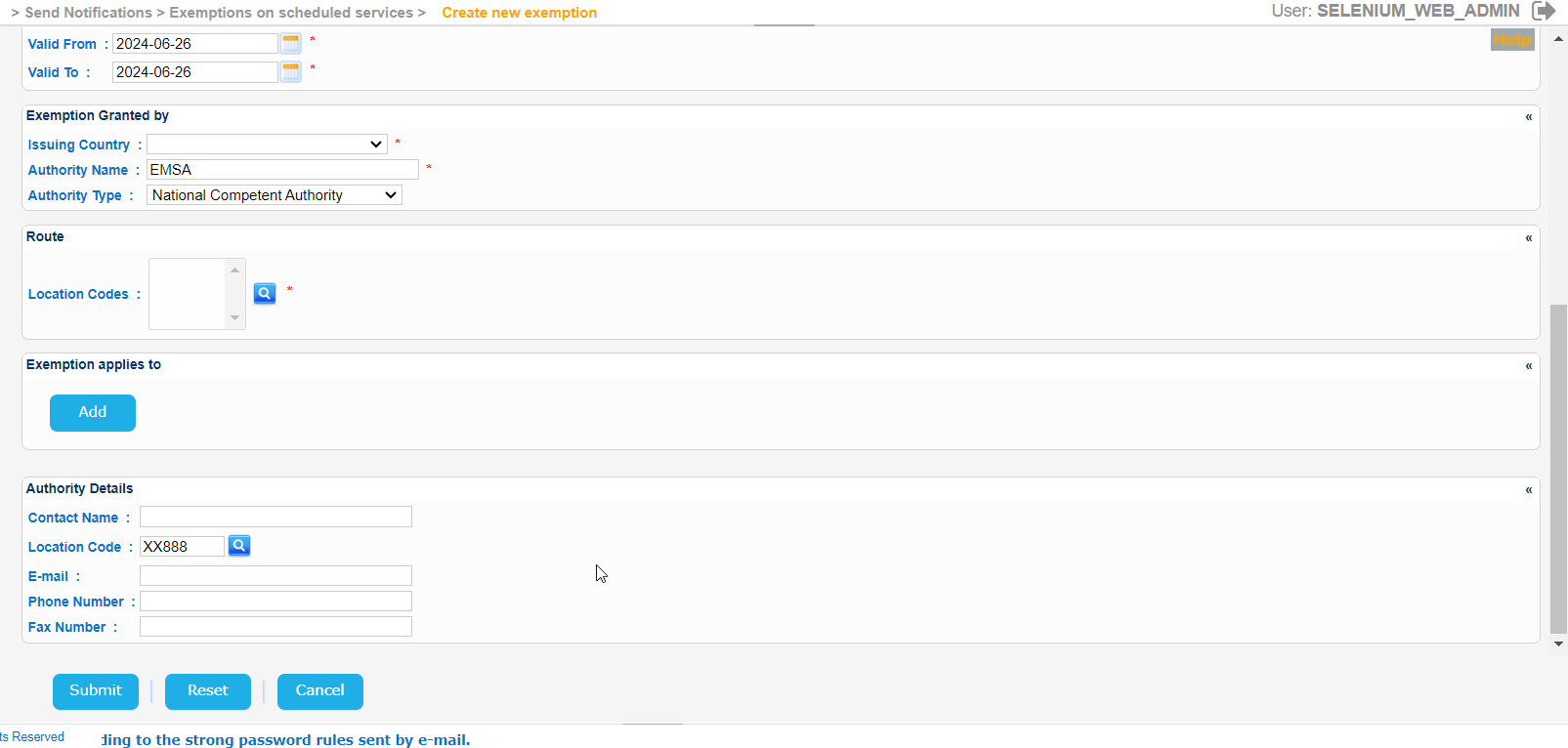
Fill in gradually all mandatory fields, taking into consideration that the year of the input date cannot be more than 9999.
Note that apart from the contact name, at least one more authority detail must be filled to send the notification (Phone, FAX or Email):
Should you select any of Waste Notification, Waste Delivery or/and Waste Fees a new sub-section with the Exempted Waste Types will be presented.

Select any of the Exempted waste types and click Add button to include them in the form.

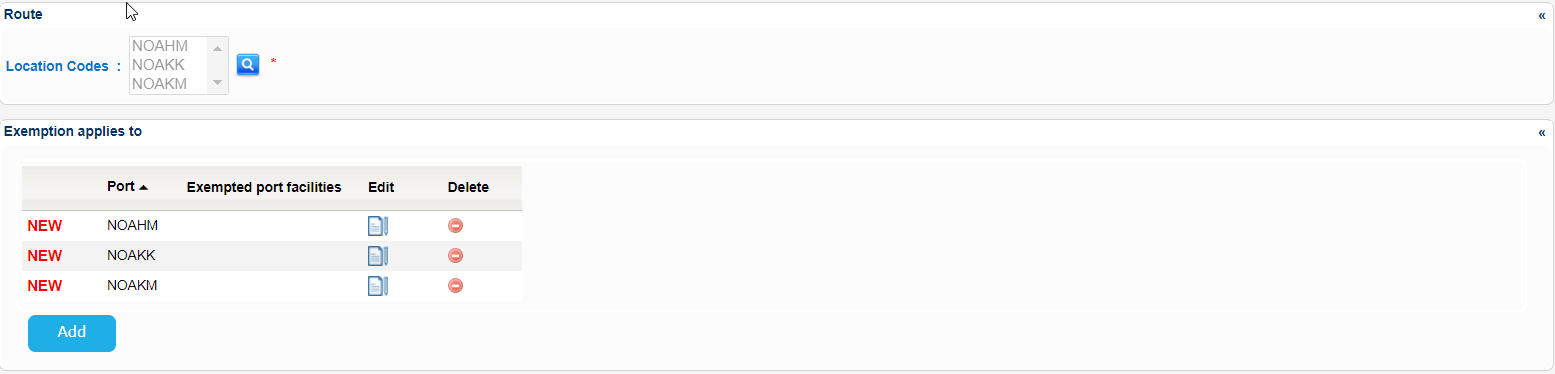
Some fields will require input from pop up screens. For example for the Location Code a new pop up will be presented.

Select the necessary Location Codes and copy the values to the initial Create Exemption form:
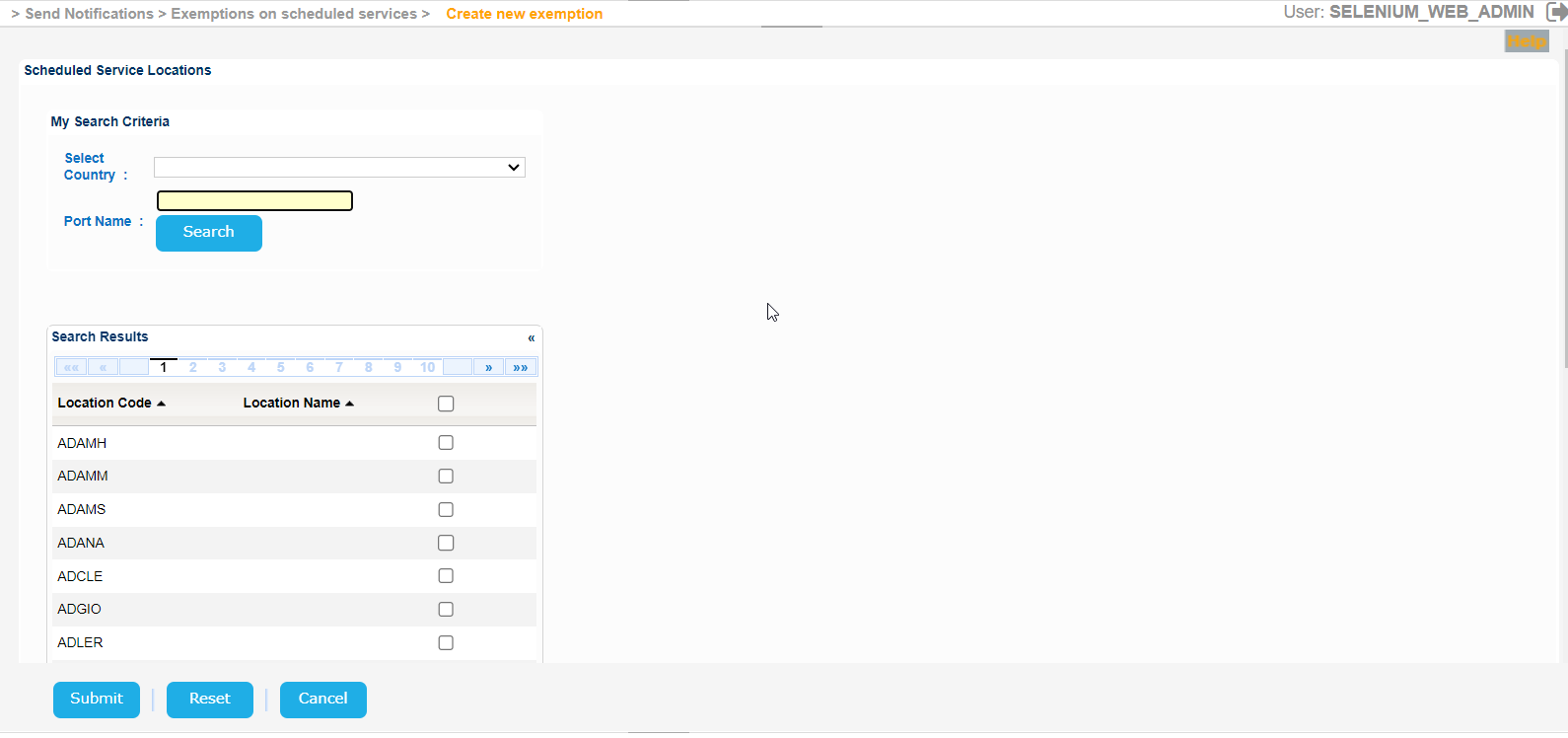
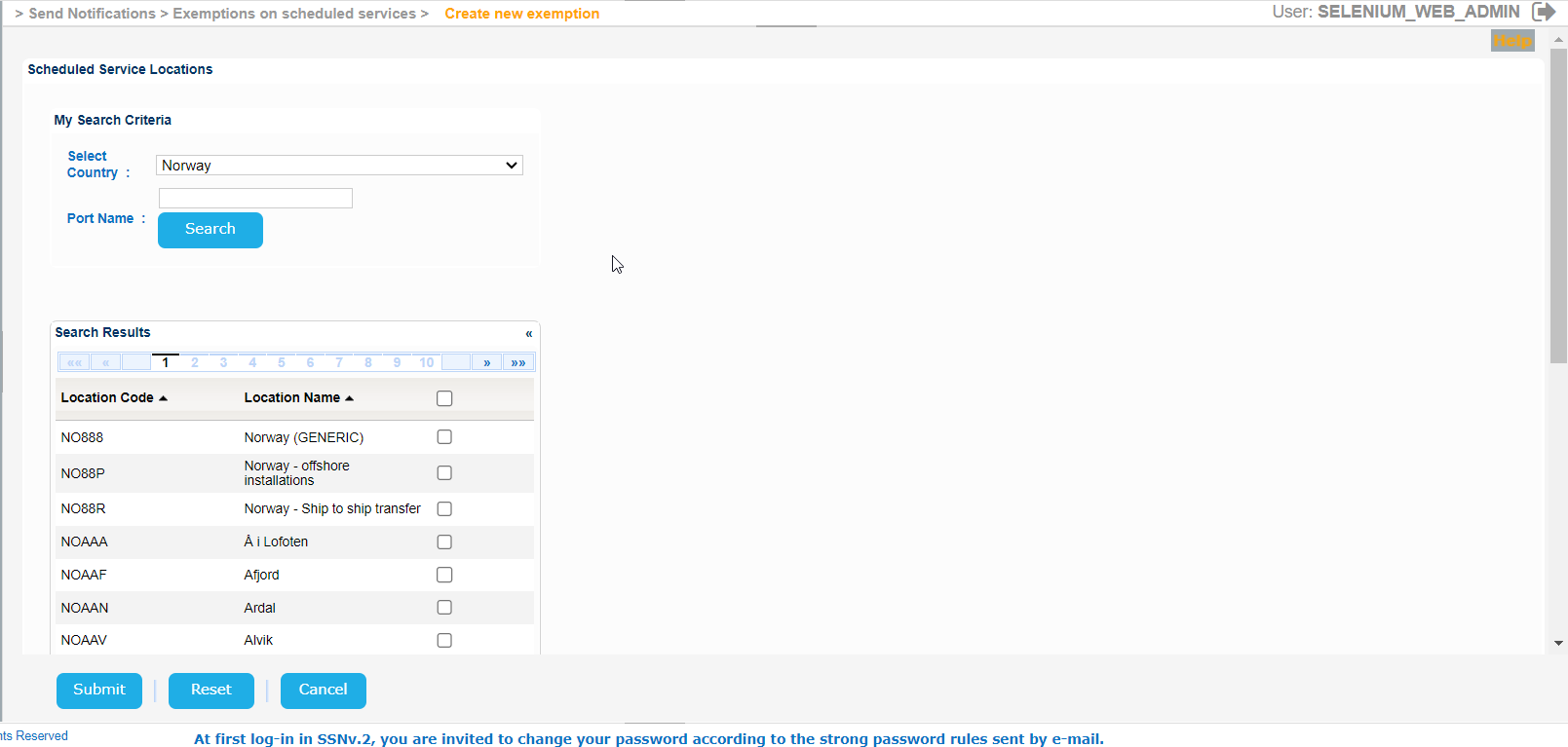
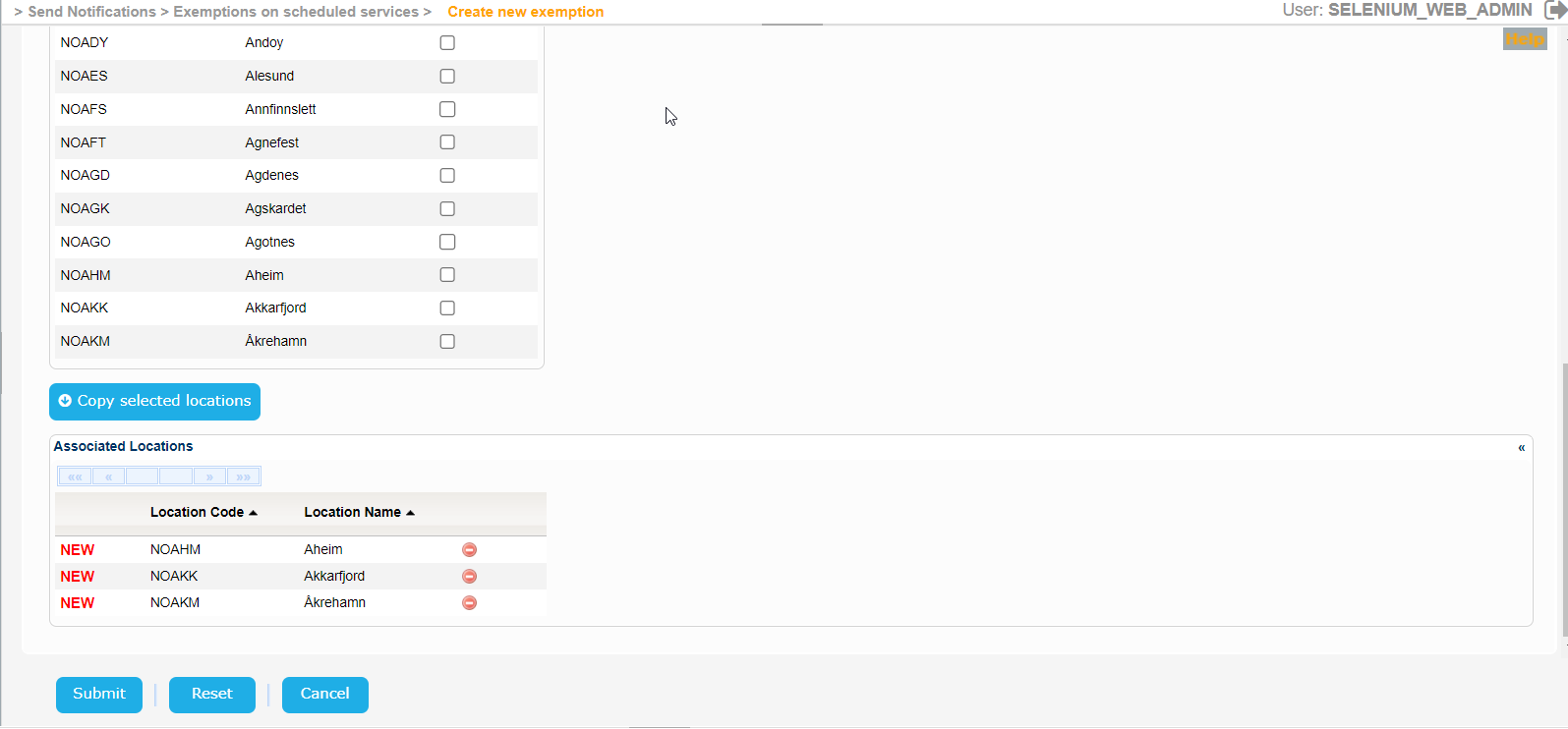
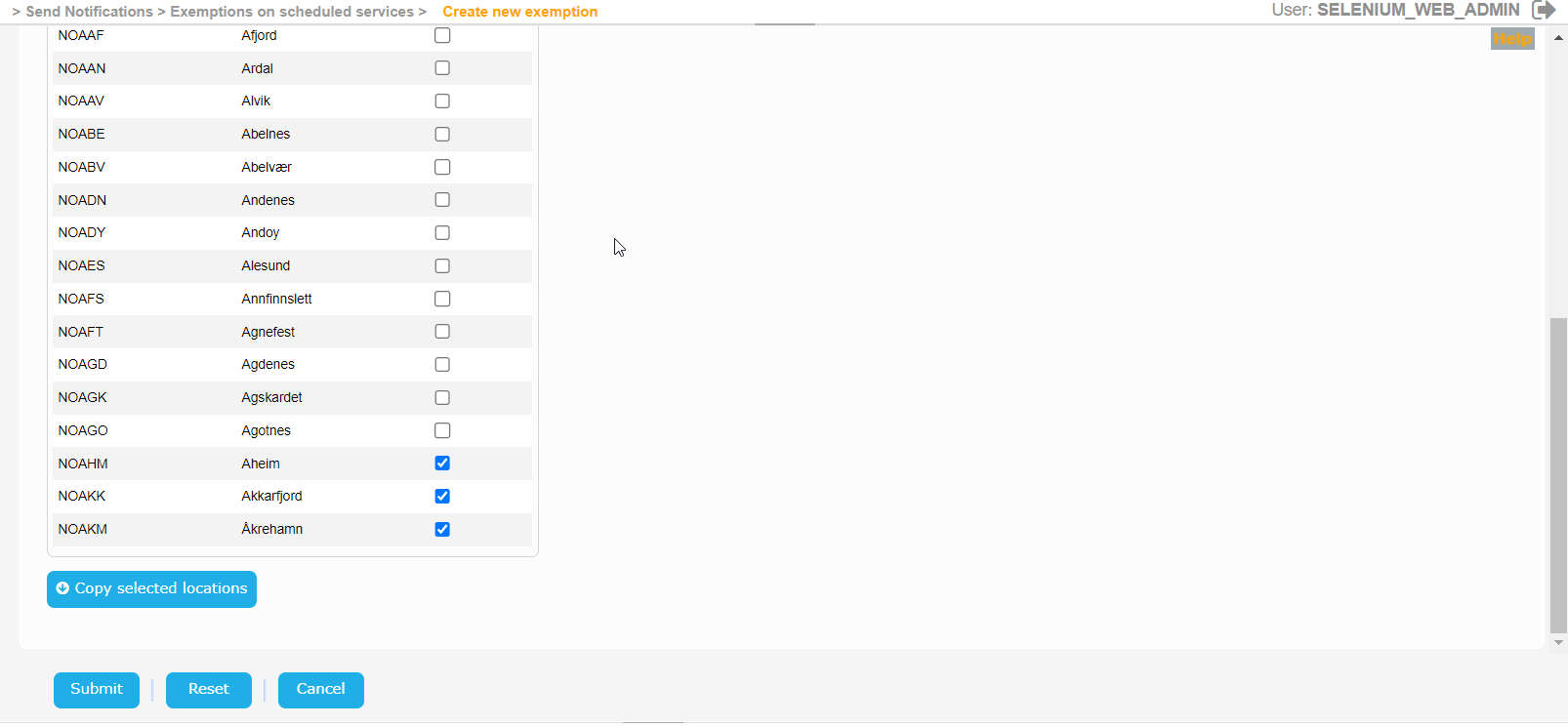

Similar for the Port Locations:
When done with the rest of the fields click on Submit button.
Should you miss a mandatory field a validation message similar to the following will be presented:

Fill in the value of the field and re-submit the form.
The application will create the Exemption and present the relevant success message:
