-
Created by
 European Dynamics Trans Contractor, last updated on Apr 16, 2026
1 minute read
European Dynamics Trans Contractor, last updated on Apr 16, 2026
1 minute read
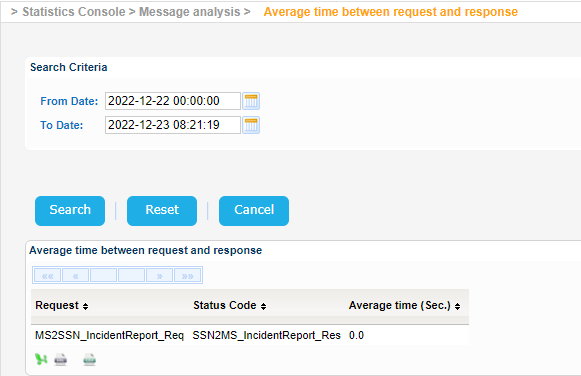
Navigate to Statistics Console > Message analysis > Average time between request and response.
The application will present a search form with Date/Time search criteria.
Select the time interval of your preference, taking into consideration that the year cannot be more than 9999, and click on Search button.
The system will present the average time between the request and response of the messages that fulfil the search criteria:
Export the search results in Excel, XML, CSV format by clicking on the respective icon on the bottom left side of the search results table: