-
Created by
 European Dynamics Trans Contractor, last updated on Apr 16, 2026
1 minute read
European Dynamics Trans Contractor, last updated on Apr 16, 2026
1 minute read
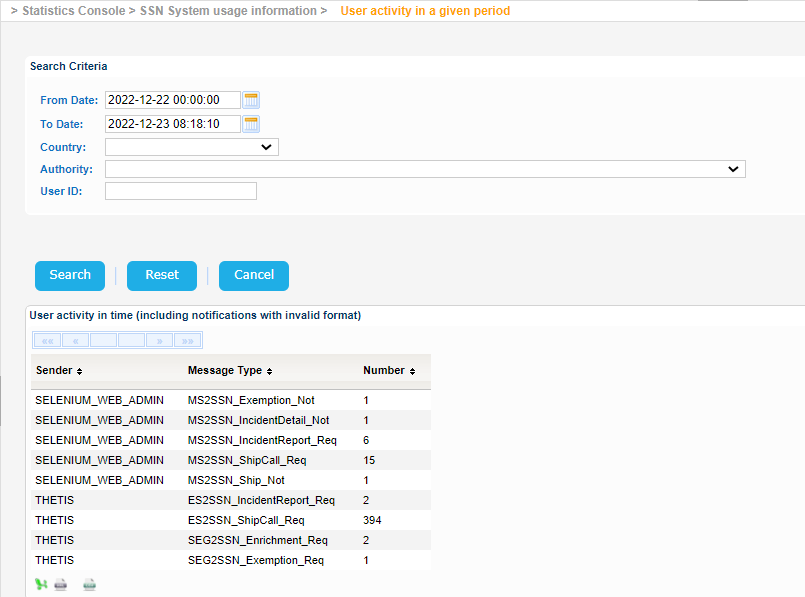
Navigate to Statistics Console > SSN System usage information > User activity in a given period.
The application will present the following form.
Fill in the search criteria and click on Search button.
The year of the input date fields cannot be more than 9999.
The application will present a list of user activity in a given time period.
Each record of the result set presents the:
- User Id
- Message Type
- Number of Occurrences for the Message Type
Export the search results in Excel, XML, CSV format by clicking on the respective icon on the bottom left side of the search results table: