
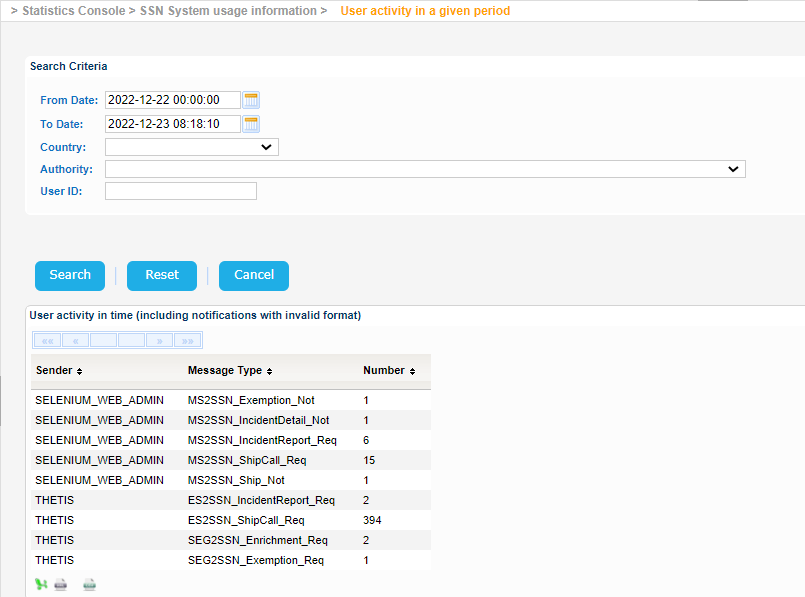
Navigate to Statistics Console > SSN System usage information > User activity in a given period.
The application will present the following form.
Fill in the search criteria and click on Search button.
The application will present a list of user activity in a given time period.
Each record of the result set presents the:
- User Id
- Message Type
- Number of Occurrences for the Message Type
| View file | ||||
|---|---|---|---|---|
|
| View file | ||||
|---|---|---|---|---|
|
| View file | ||||
|---|---|---|---|---|
|