
Navigate to Send Notifications > Exemptions on scheduled services > Create new exemption.
The application will present the Vessel search form.
Fill in at least one of the IMO Number, MMSI Number, Call Sign or Ship Name and click on Search button.
The application will present the list of Vessels that the meet the search criteria:
...
Select one of the Vessels and click on the IMO Number link.
The application will present a new screen with the Vessel Identification and the following sections:
- Type of Exception
- Exemption Validity
- Exemption Granted by
- Route
- Exemption applies to
- Exempted waste types
- Authority Details
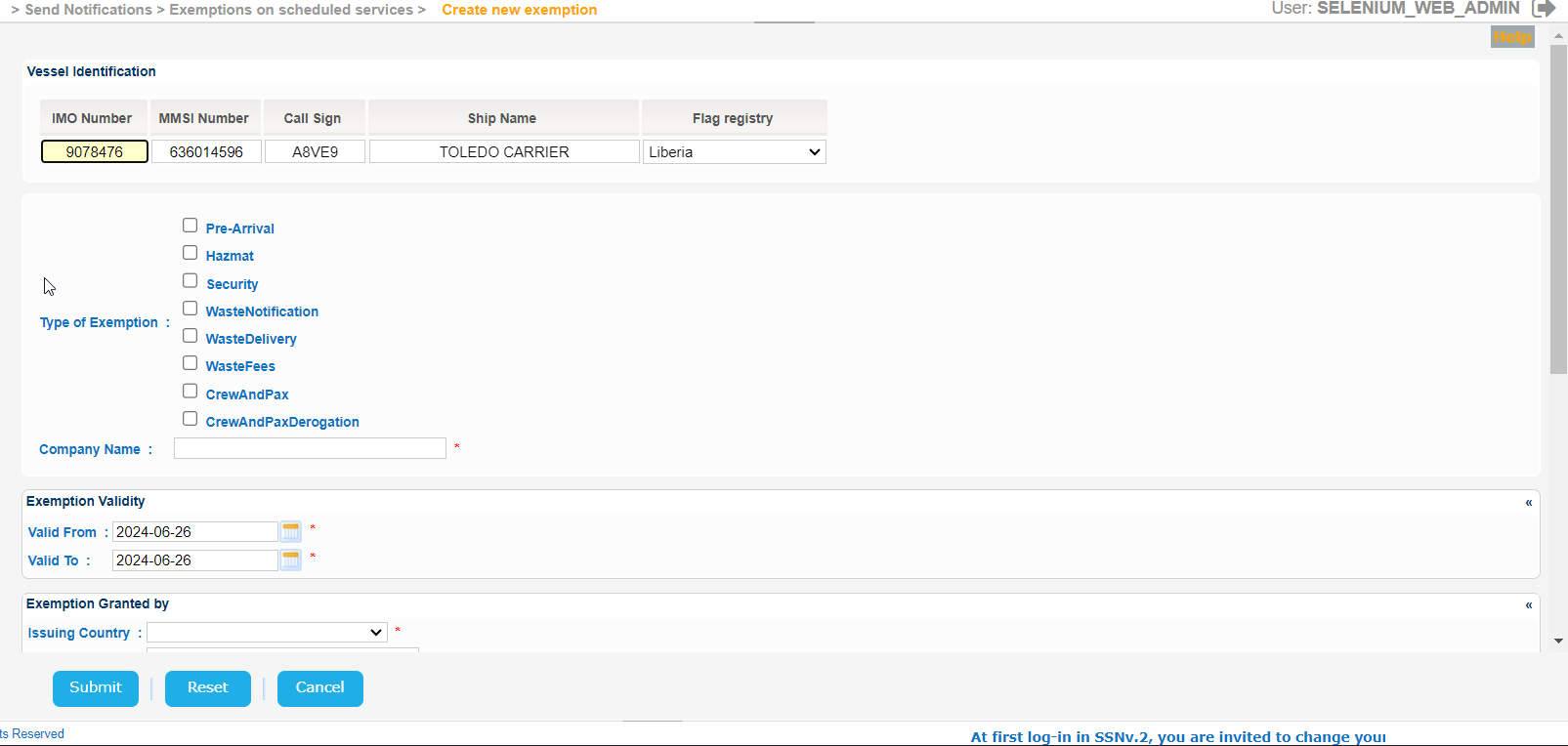
The year of the input date cannot be more than 9999.
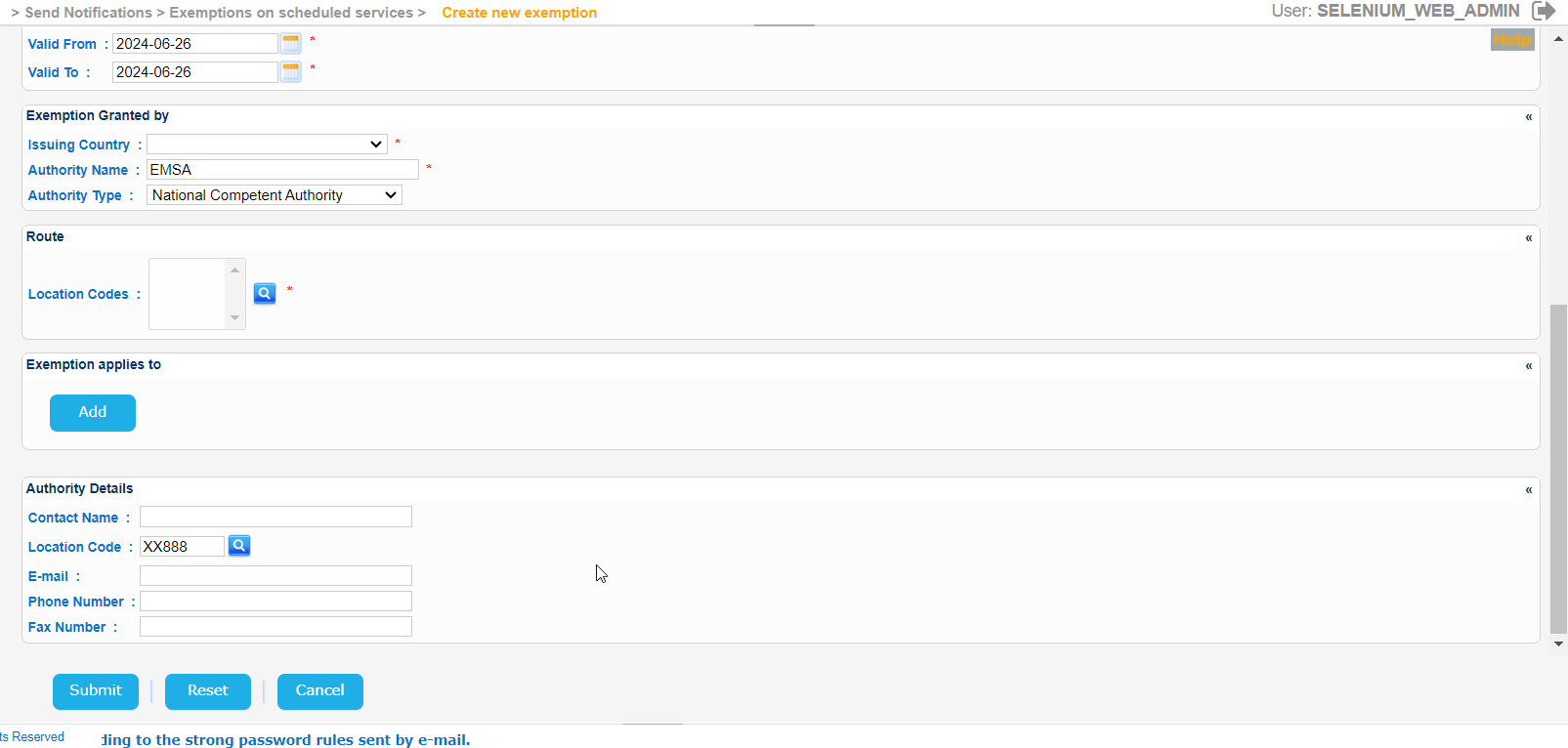
Fill in gradually all mandatory fields.
...