Page tree

Versions Compared

Key

  • This line was added.
  • This line was removed.
  • Formatting was changed.

...

Similar for the Port Locations:
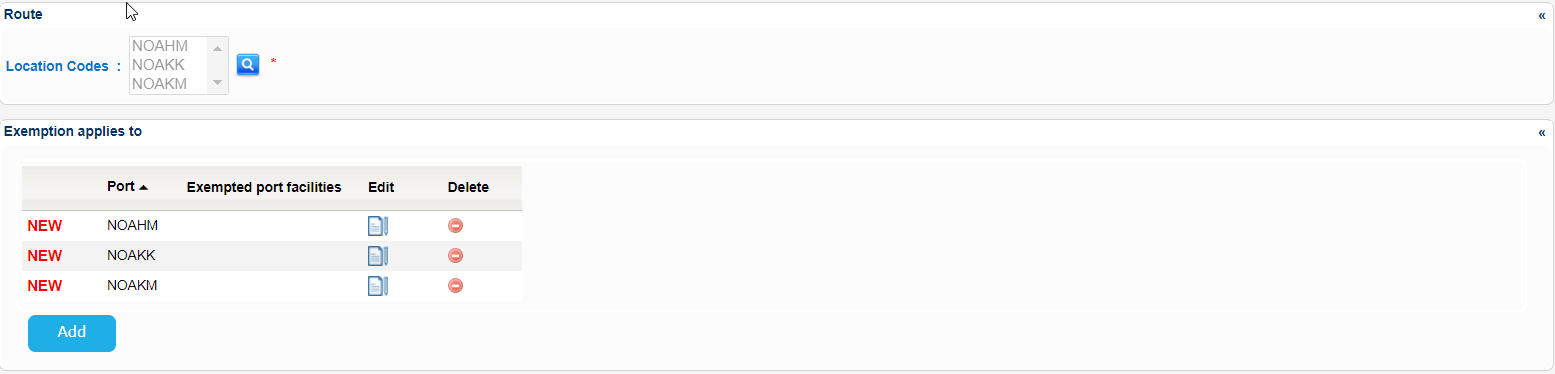
Image RemovedImage Added


The initial Create Exemption screen will look like the following one:

Image Removed

Image Removed


When done with the rest of the fields click on Submit button. 

Should you miss a mandatory field a validation message similar to the following will be presented:

Image RemovedImage Added

Fill in the value of the field and re-submit the form.

The application will create the Exemption and present the relevant success message:

Image RemovedImage Added


Agency of the European Union

Information on this site is subject to a disclaimer, a copyright and personal data protection.

© 2023 European Maritime Safety Agency All Rights Reserved