
...
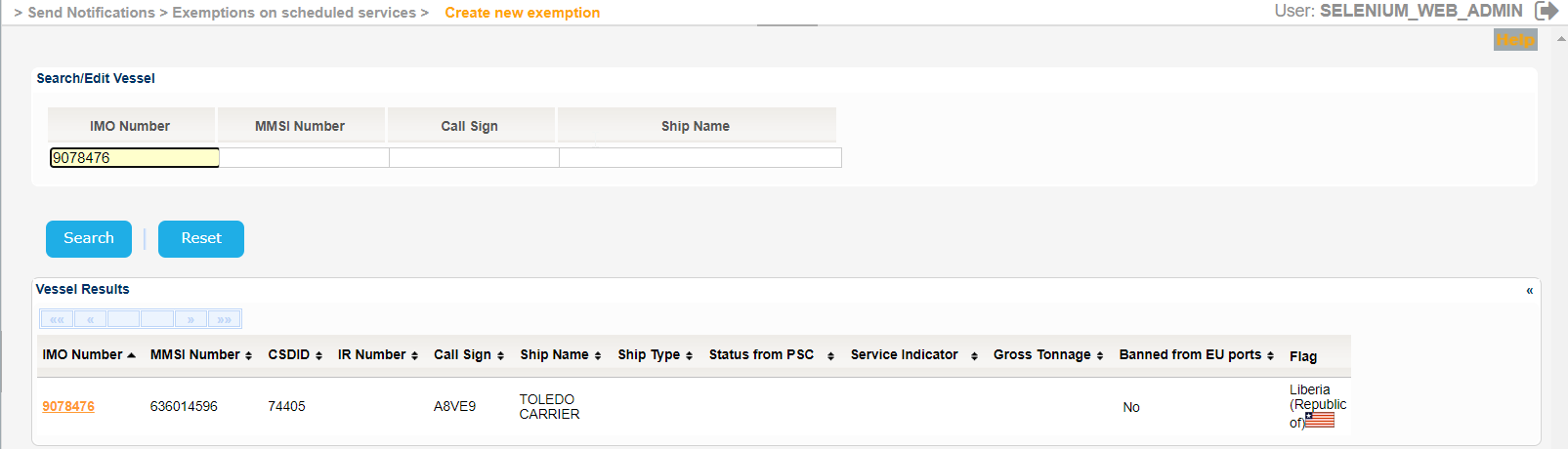
The application will present the list of Vessels that the meet the search criteria:
The Service Indicator and Ship Type codes and labels are provided in the attached files:
| View file | ||||
|---|---|---|---|---|
|
| View file | ||||
|---|---|---|---|---|
|
...
- Type of Exception
- Exemption Validity
- Exemption Granted by
- Route
- Exemption applies to
- Exempted waste types
- Authority Details
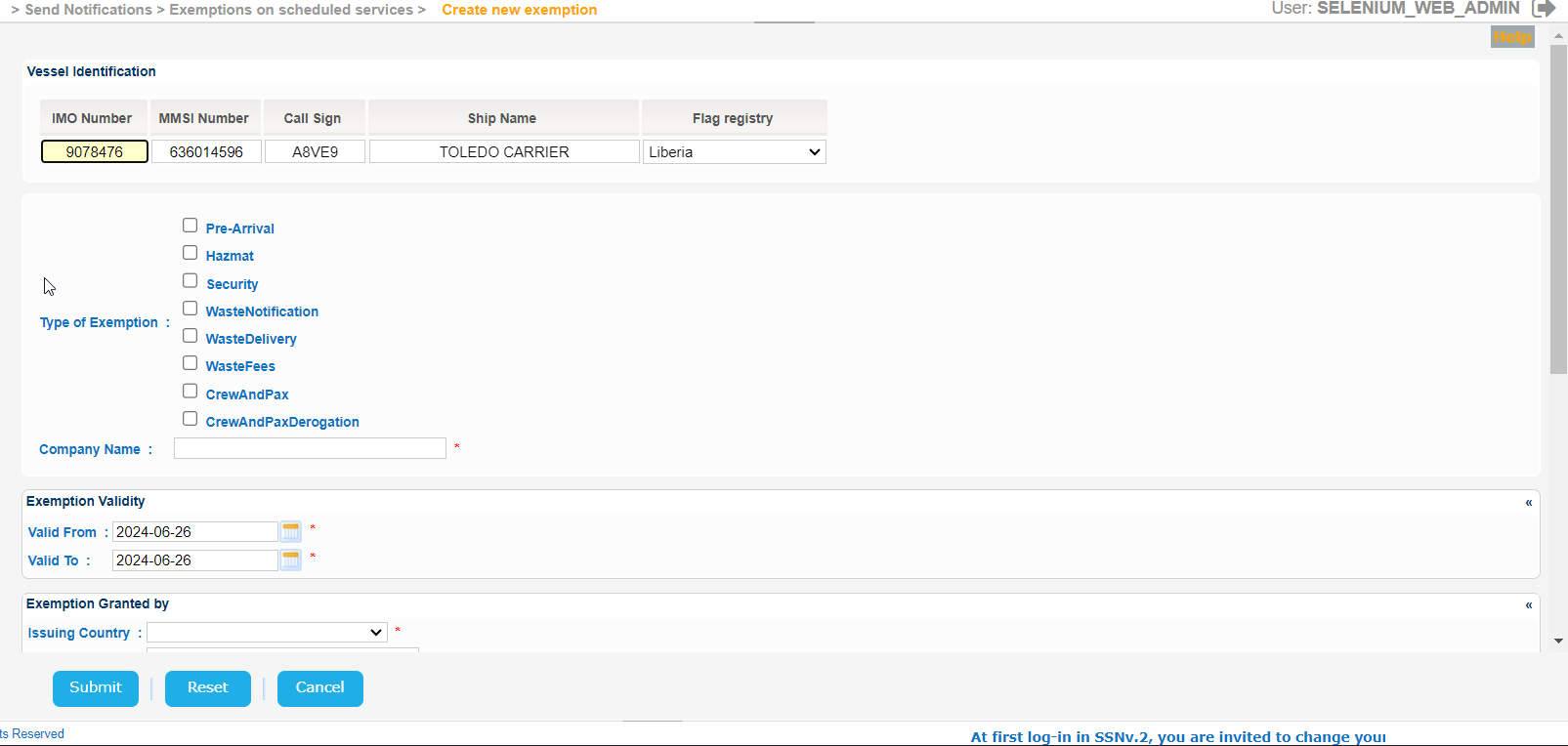
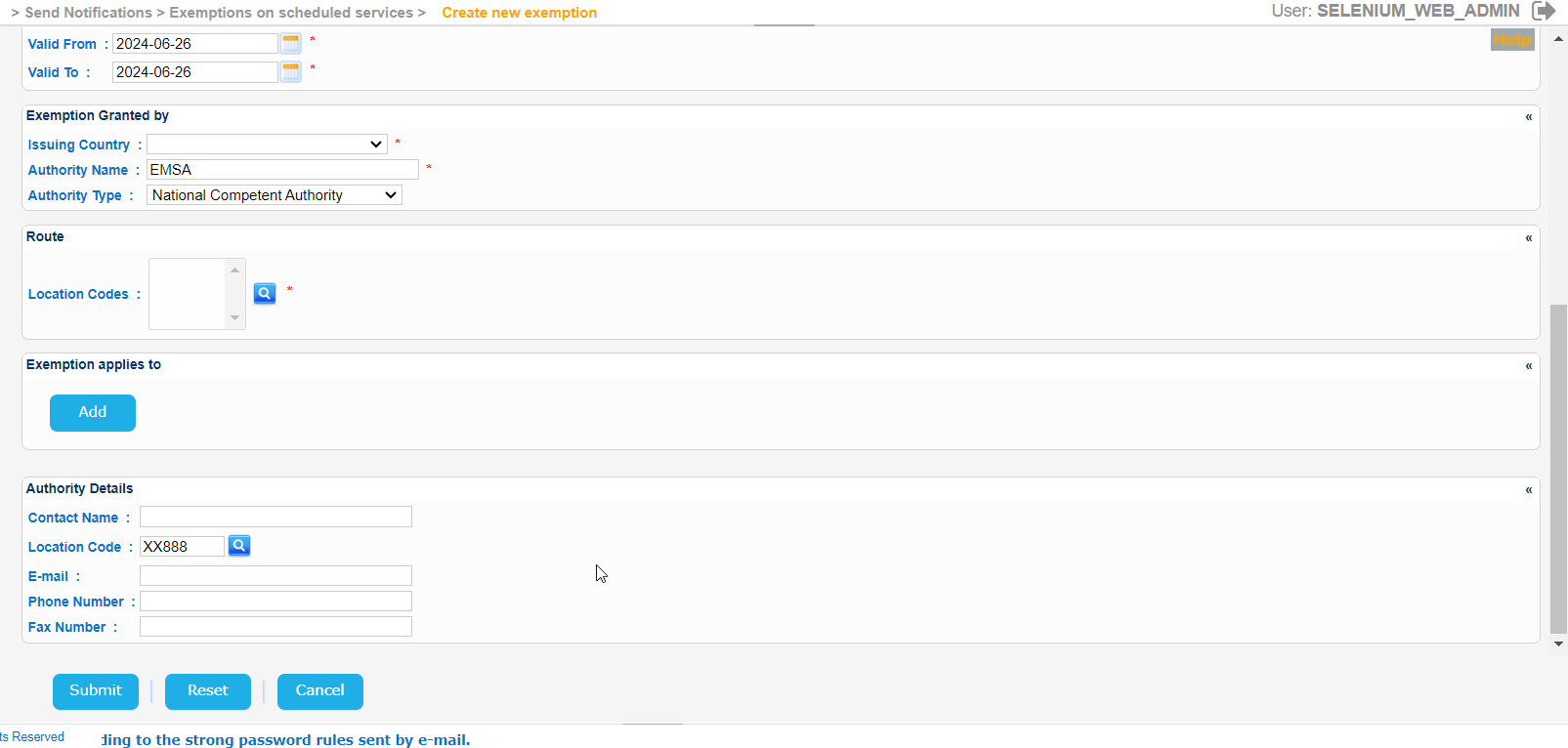
Gradually fill Fill in gradually all the mandatory fields and click on the Submit button.
.


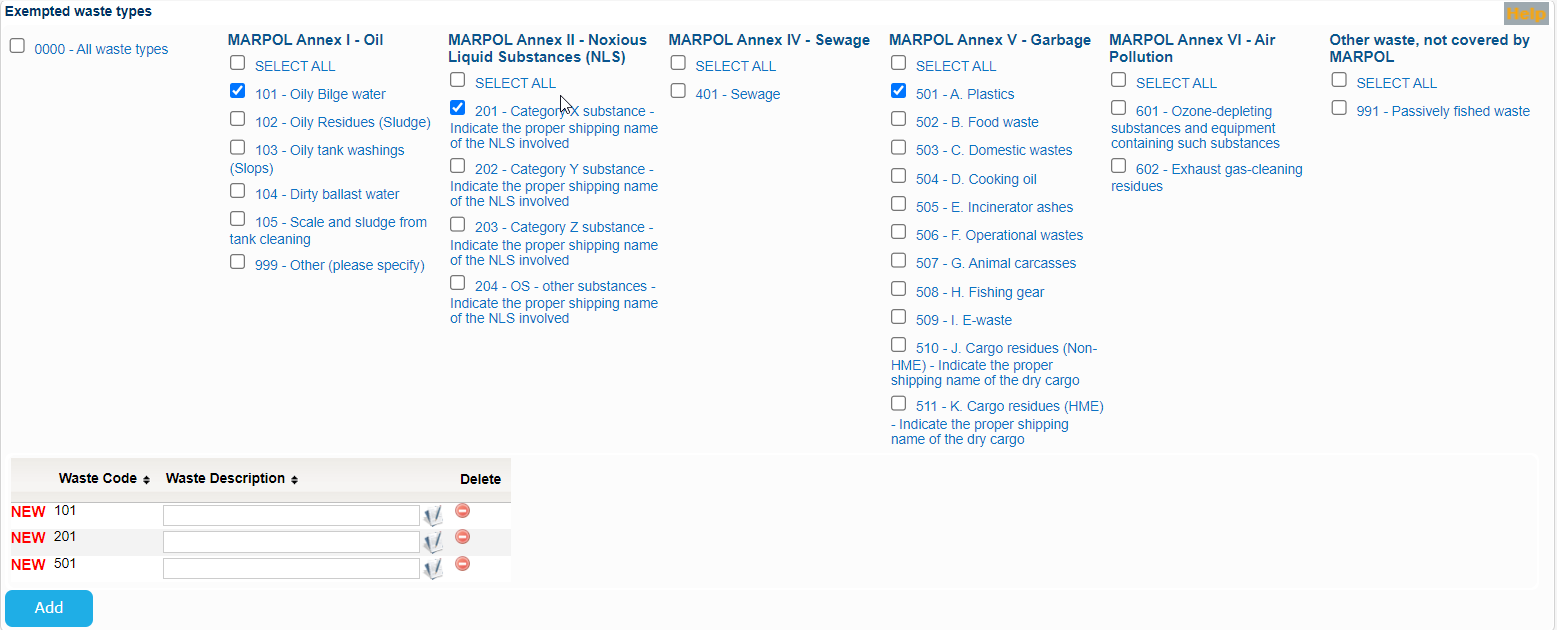
Some fields will require input from pop up screens. For example for the Location Code a new pop up will be presented. Select the necessary Location Codes and copy the values to the initial Create Exemption form:
Similar for the Port Locations:
The initial Create Exemption screen will look like the following one:
When done with the rest of the fields click on Submit button.
Should you miss a mandatory field a validation message similar to the following will be presented:
Fill in the value of the field and re-submit the form.
...