
-
Created by
 European Dynamics Trans Contractor, last updated on Apr 16, 2026
2 minute read
European Dynamics Trans Contractor, last updated on Apr 16, 2026
2 minute read
Navigate to Find Information > Voyage Information > Ship voyage information > Current and past port calls.
The application will present the Vessel search form along with a Time Period and Number of Calls search criteria.
Fill in at least one of the IMO Number, MMSI Number, Call Sign or Ship Name and click on Search button.
The application will present a list of Vessels that meet the search criteria.
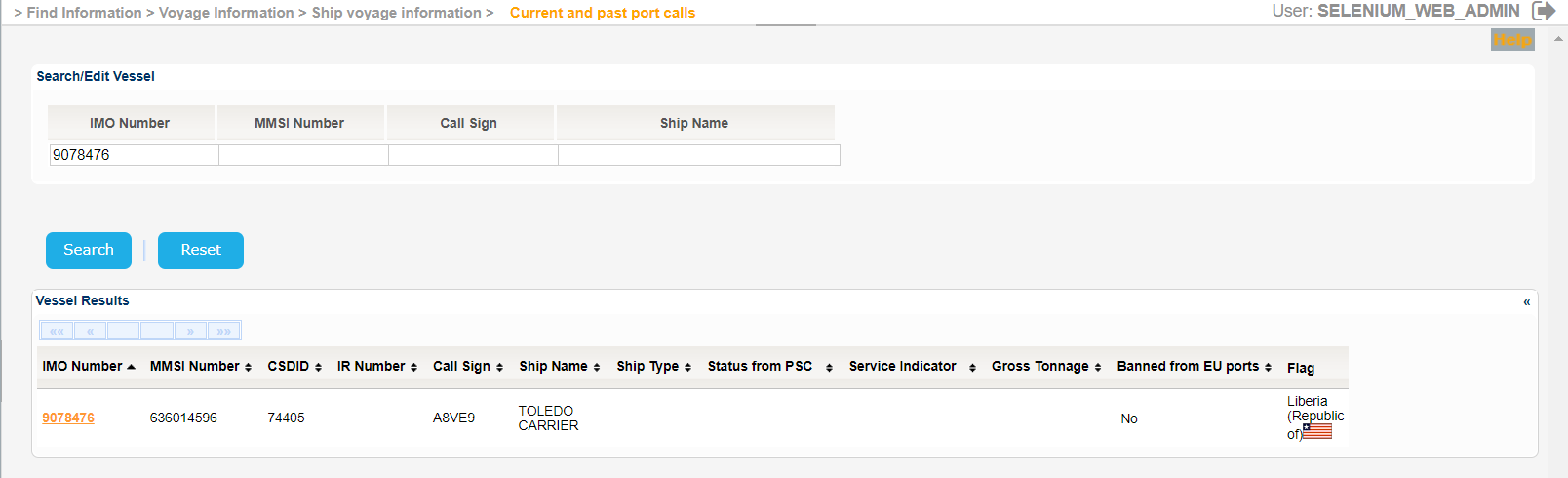
The Service Indicator and Ship Type codes and labels are provided in the attached files:
Select one of the Vessels and click on the IMO Number link.
The application will present a new screen containing the Search/Edit Vessel section prefilled, based on the selected Vessel, along with the Time Period and Number of Calls search criteria.
Set a value for the Start Date,taking into consideration that the year cannot be more than 9999, and click on Search button.
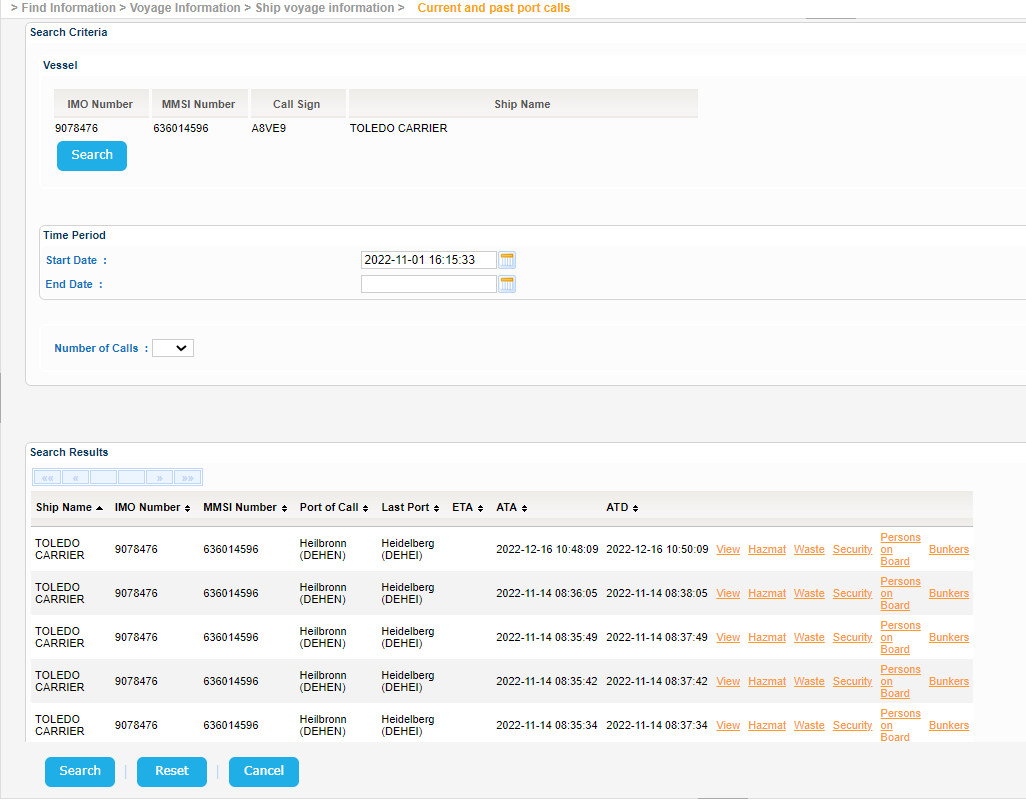
The application will present the list of Current and Past Port Calls that meet the search criteria or the relevant message if there are no such Voyages.
For each Voyage links for the Voyage Details (View), Hazmat, Waste, Security, Persons on Board and Bunkers are presented.
Select a Voyage and click on View link.
The application will present a pop up window with the details of the selected Voyage:
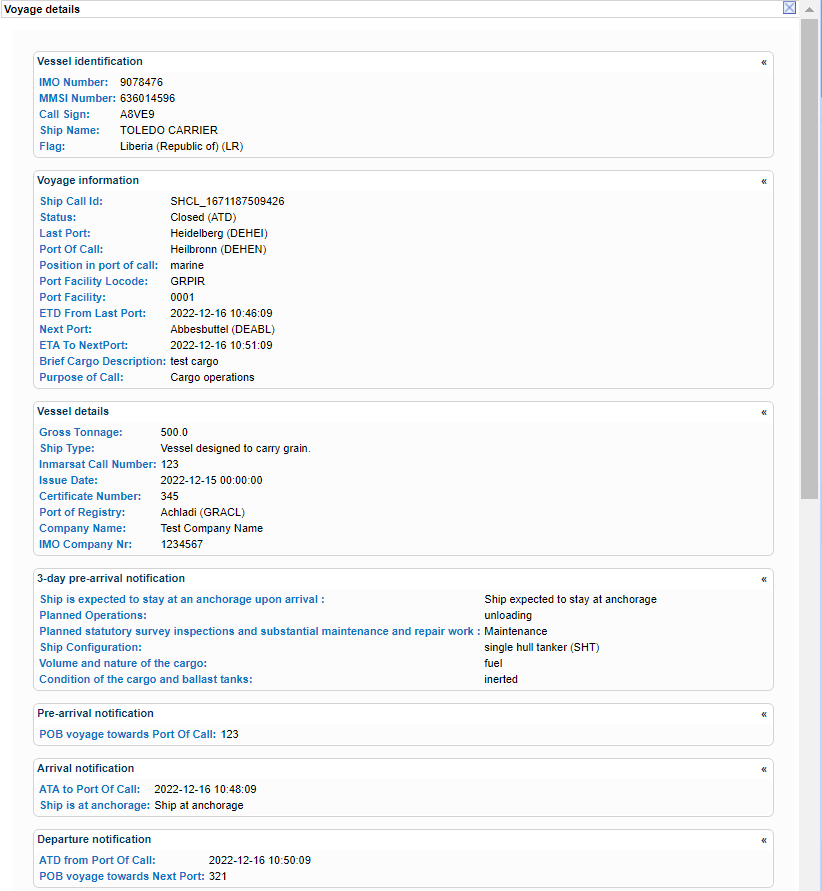
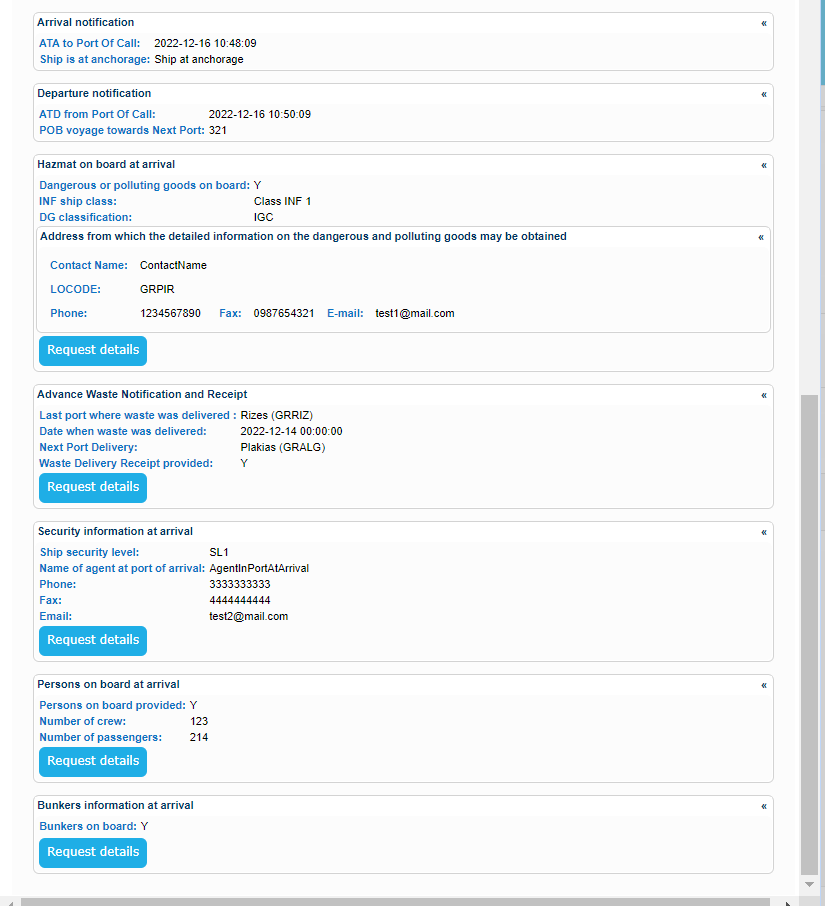
Similar pop ups are generated for the rest of the links.
Indicative samples are presented in [3.3.1 Integrated Ship Information] section.