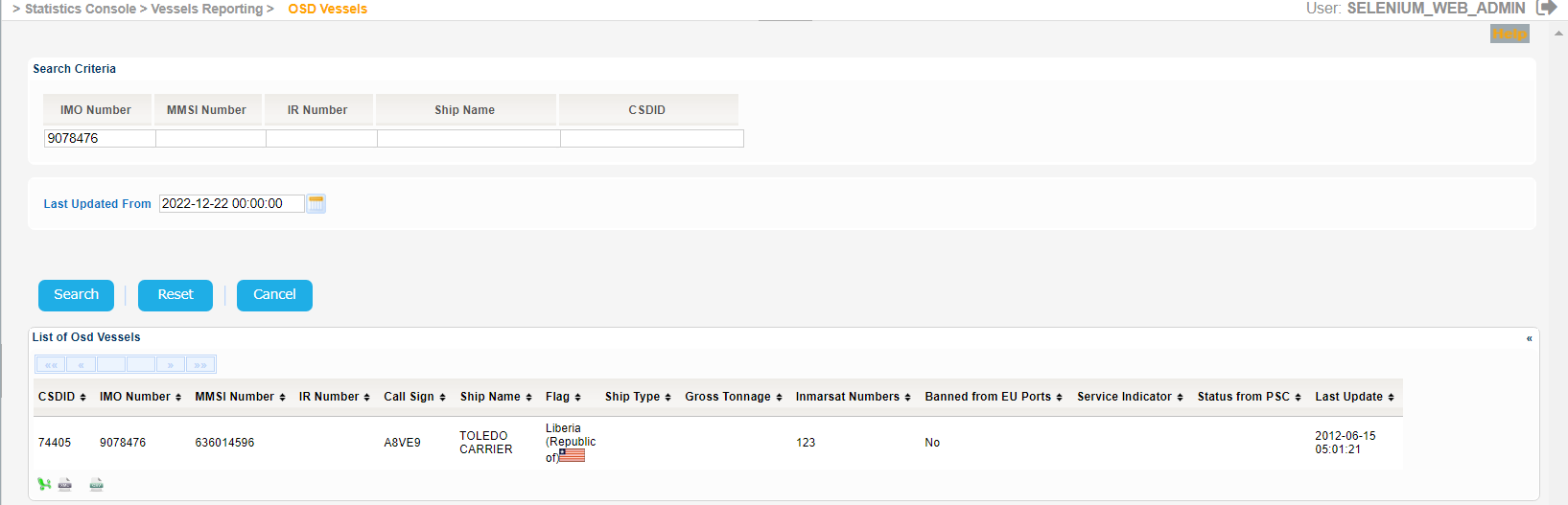
Navigate to Statistics Console > Vessels Reporting > OSD Vessels.
The application will present the search Vessel form along with the Last Updated search criterion.
Fill in at least one of the IMO Number, MMSI Number, Call Sign or Ship Name and click on Search button.
The application will present a list of Vessels that meet the search criteria:
Among the details presented for each vessel there is also the Vessel CSD ID.
When performing the search, the system will provide the ships corresponding to all entered criteria, as follows:
The resulting list of ships corresponds to all entered search criteria
The Service Indicator and Ship Type codes and labels are provided in the attached files below:
If there is no label corresponding to the value of the attributes Ship type and Service indicator, the system will only display the value between brackets (ex: "(125)").
Similarly if there is no flag icon corresponding to the value of the Flag attribute, no flag icon will be displayed.
Export the search results in Excel, XML, CSV format by clicking on the respective icon on the bottom left side of the search results table:
Should you provide no search criteria in the initial search the system will present the following error message:

If on the other hand you do provide search criteria but the search results are more than 200 the system will present the following error message:
