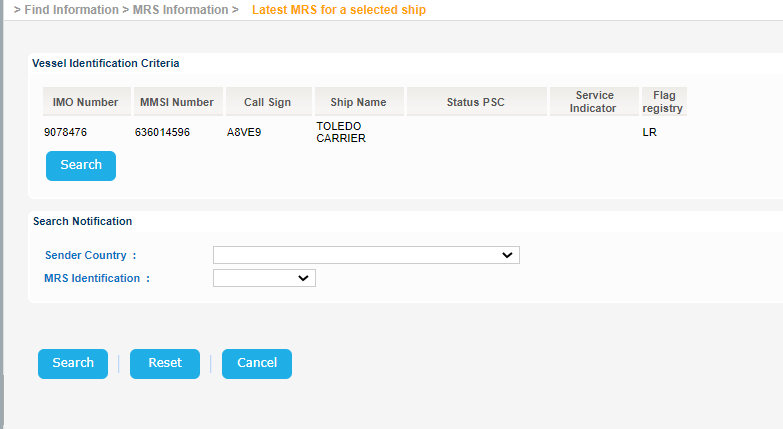
Navigate to Find Information > MRS Information > Latest MRS for a selected ship.
The application will present the Vessel search form along with Search Notification criteria.
...
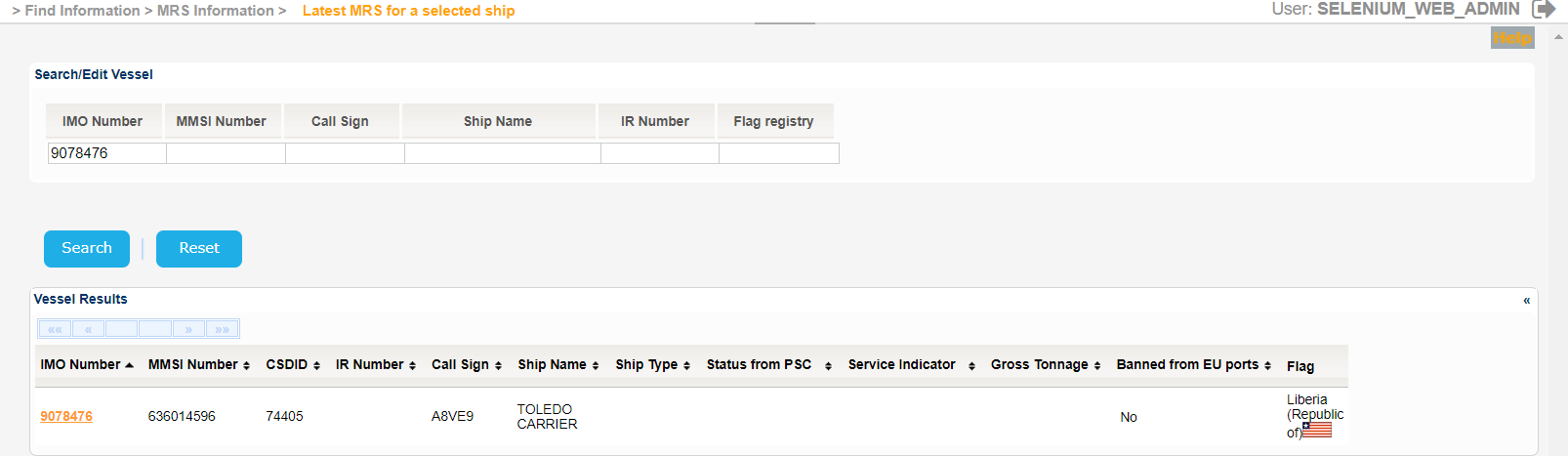
The application will present a list of Vessels that meet the search criteria.
Select one of the Vessels and click on the IMO Number link.
The Service Indicator and Ship Type codes and labels are provided in the attached files:
| View file | ||||
|---|---|---|---|---|
|
| View file | ||||
|---|---|---|---|---|
|
The application will present a new screen containing the Search/Edit Vessel section prefilled, based on the selected Vessel, along with the Search Notification fields.
Fill in any of the Sender Country and MRS Identification fields and click on Search button.
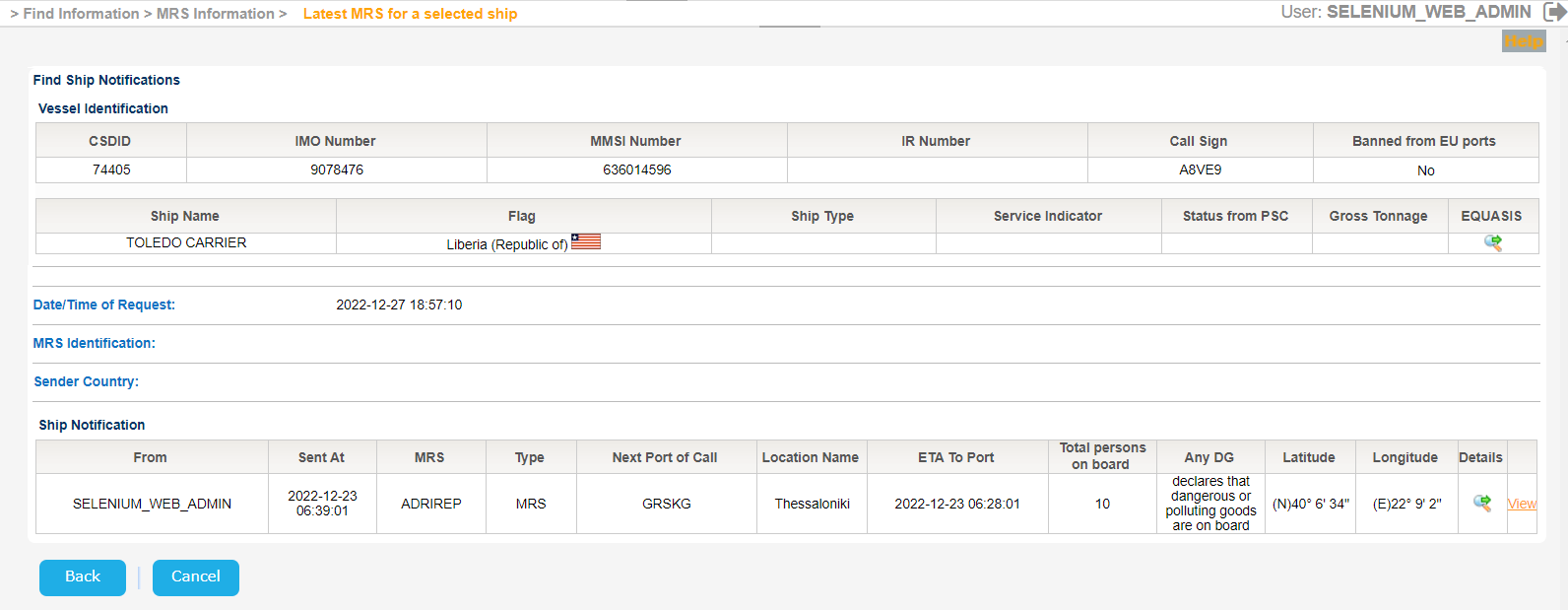
The application presents a new screen which includes the following information:
- Vessel Identification
- Date/Time of Request
- MRS Identification
- Sender Country
- Ship Notification
Click on EQUASIS link in Vessel Identification section in order to get further details from EQUASIS as described in [3.3.1 Integrated Ship Information] section.
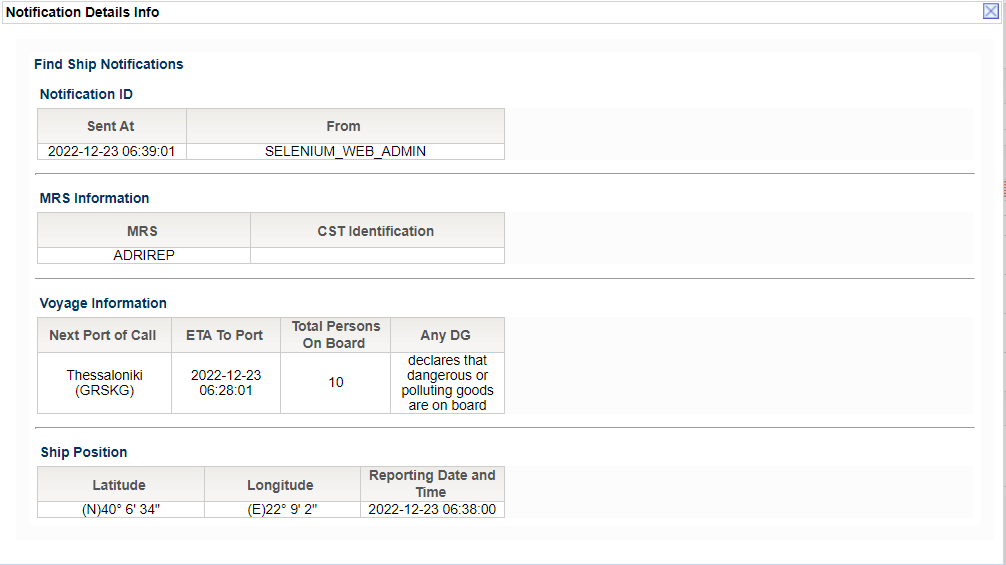
Click on the Details link in order to get additional details for the Ship (MRS) Notification in a pop up window:
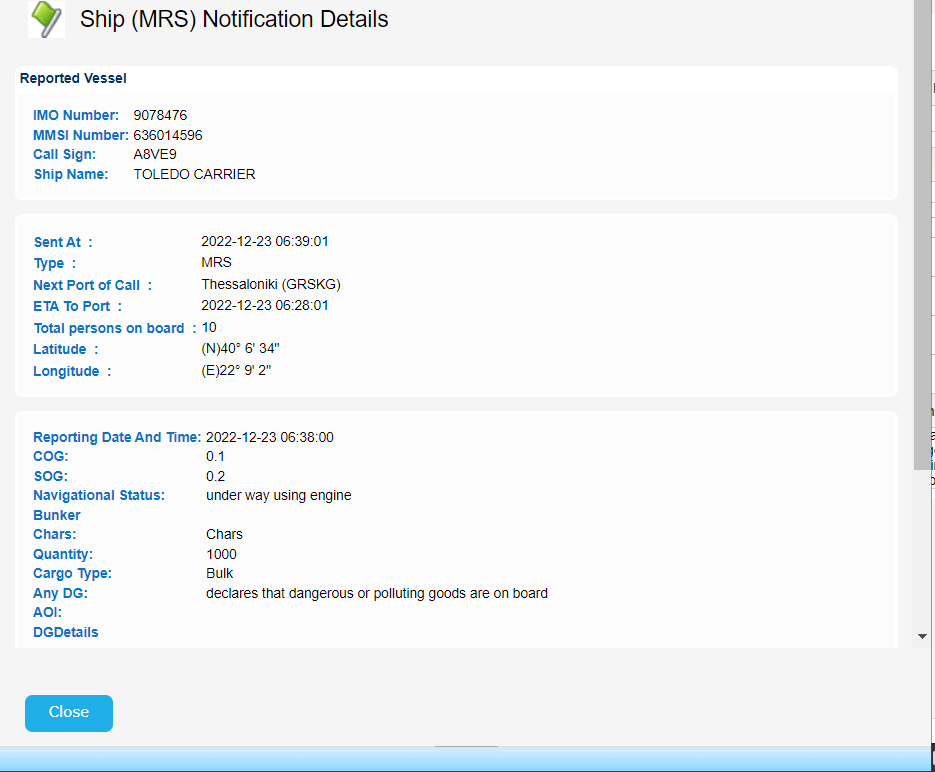
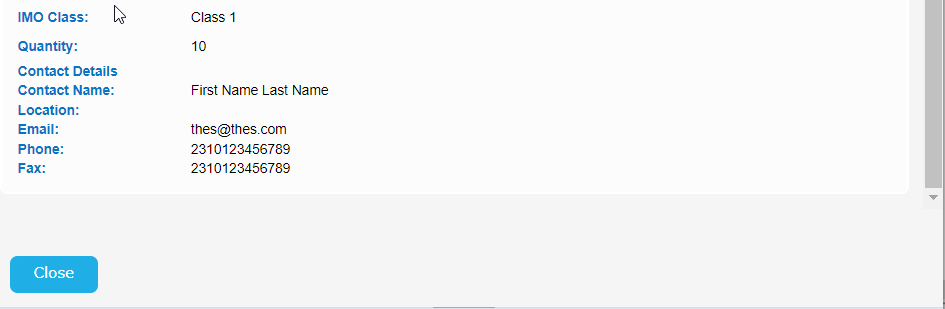
Click on View link of the Ship Notification section in order to get the Notification Detail Info pop up window: