
Navigate to Find Information > Voyage Information > Port information > Ships in port.
The application will present the following search form.
Fill in the search criteria and click on Search button:
...
The application presents the list of Vessels that meet the search criteria and are are currently in the specified Port
Apart from the information presented above the application presents also links for the following, if any,:
...
Close this pop up and click on the Waste link which will launch a new one with the Waste Details:
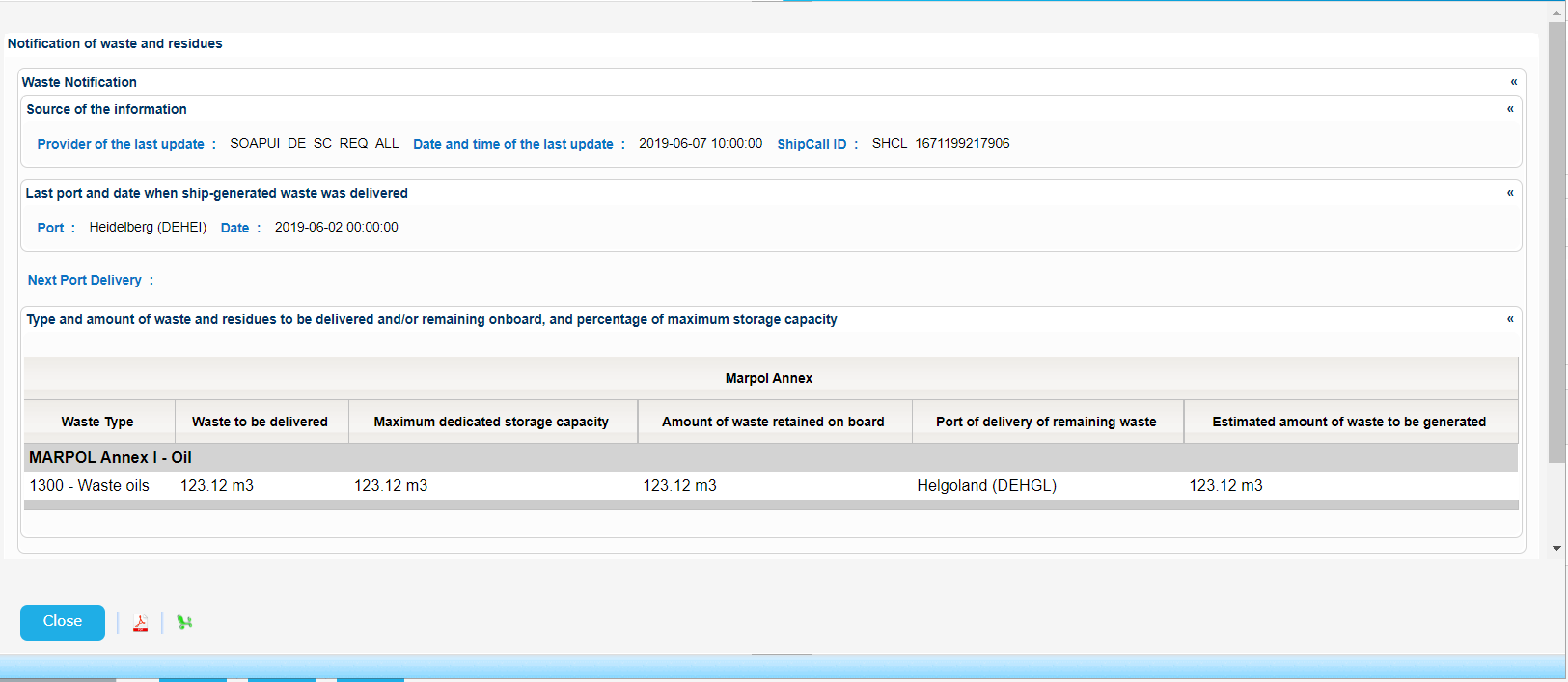
Export the search results in PDF or Excel format by clicking on the respective icon on the bottom left side of the pop up window:
| View file | ||||
|---|---|---|---|---|
|
| View file | ||||
|---|---|---|---|---|
|
Similar pop ups are generated for the rest of the links.
Indicative samples are presented in [3.3.1 Integrated Ship Information] section.