Navigate to Statistics Console > Notification Analysis > Most active Vessels.
The application will present the following form.
Fill in any of the following search criteria and click on Search button:
- Message Type
- From Date
- To Date
The year of the input date cannot be more than 9999.
The application will present a list of valid Notifications of the most active Vessels:
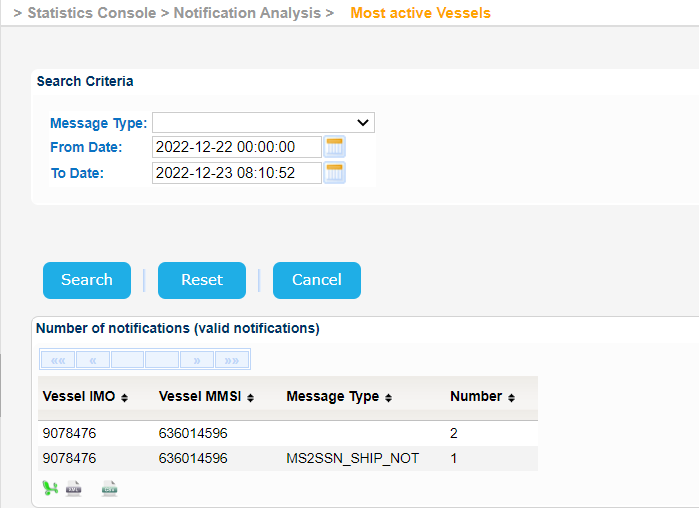 Image Added
Export the search results in Excel, XML, CSV format by clicking on the respective icon on the bottom left side of the search results table:
| View file |
|---|
| name | 3.4.1.2 ssndata.xls |
|---|
| height | 250 |
|---|
|
| View file |
|---|
| name | 3.4.1.2 ssndata.xml |
|---|
| height | 250 |
|---|
|
| View file |
|---|
| name | 3.4.1.2 ssndata.csv |
|---|
| height | 250 |
|---|
|
