
Navigate to Find Information > Incidents Information > IRs for Specific Port.
The application will present a search form with Geographic and Time Period criteria.
Fill in the mandatory fields:
- Port of Departure quoted in IR
- Port of Destination quoted in IR
In order to find the relevant Location Codes click on the blue magnifier glass next to each field:
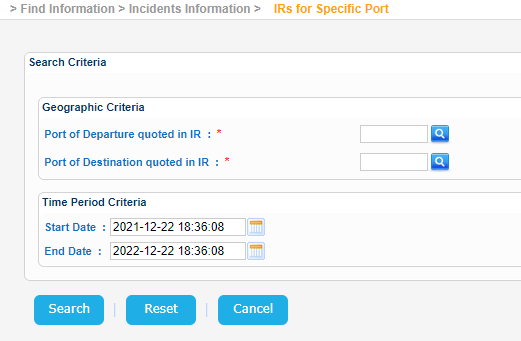
Note that for the date fields the year of the input date cannot be more than 9999.
Fill in the Port Name or/and Country and click on Search button:
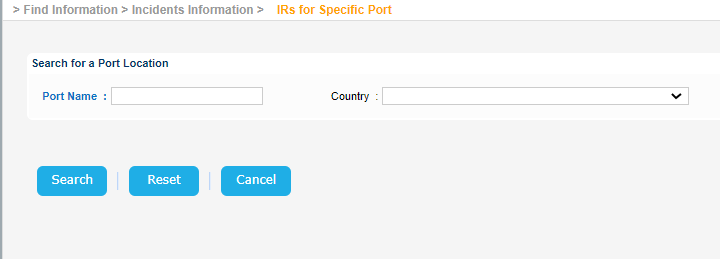
The application will search perform a search and present a list of Ports that meet the search criteria.
Select one and click on the Location link:
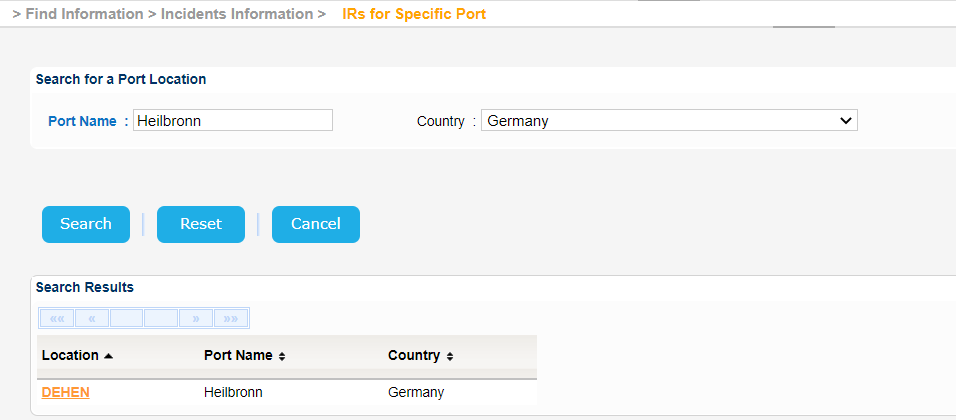
The selected Location Code of the Port will be transferred in the initial search form.
Repeat this process for both both Ports of Departure and Destination.
When done click on Search button.
The application will present a list of IR Notifications that meet the search criteria:
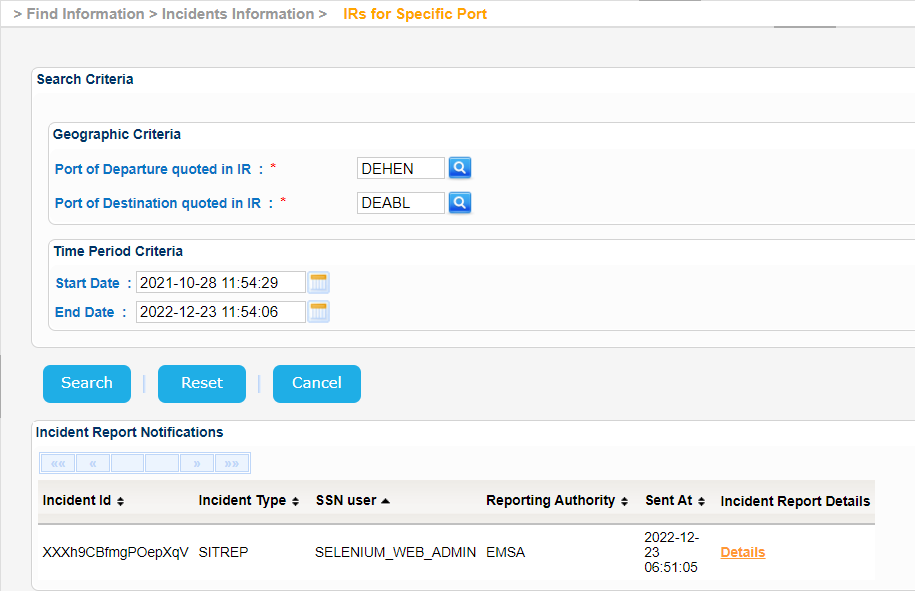
Click on the Details link under the Incident Report Details column.
A new pop up window is launched and the Incident Report Details are presented as follows:
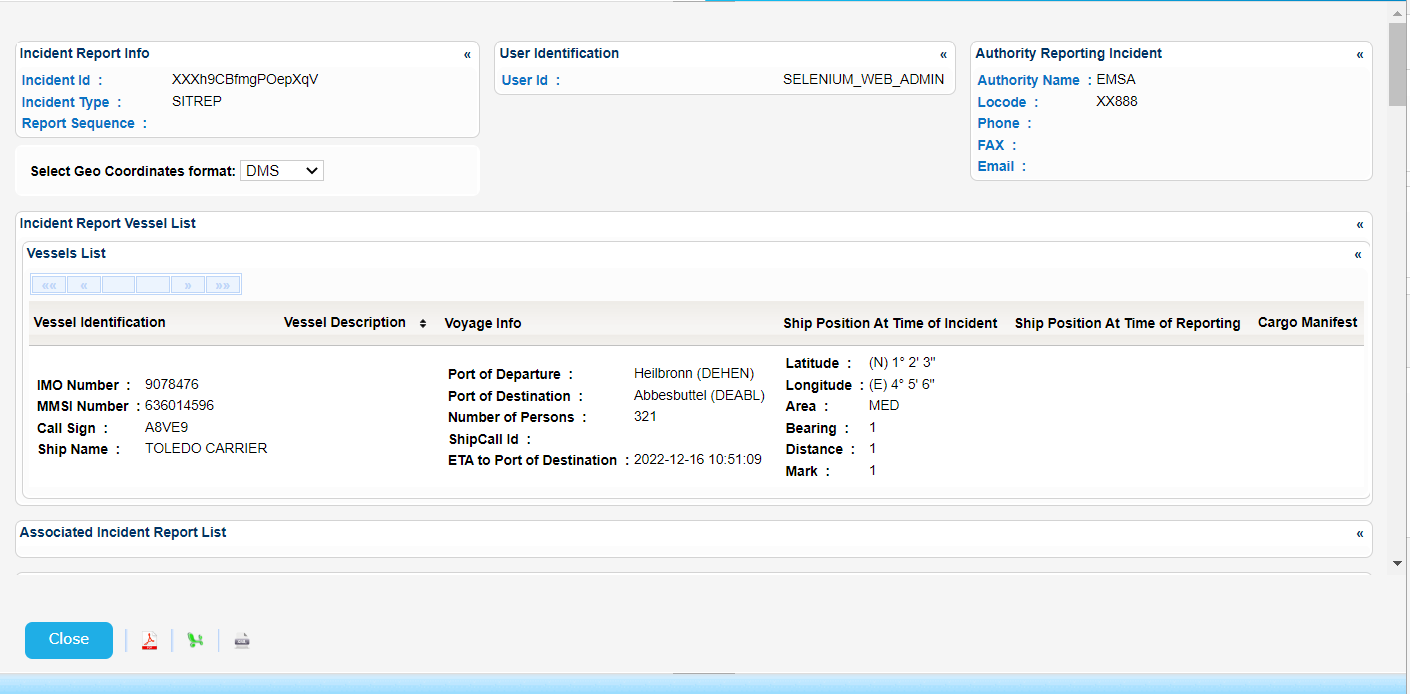
Export the search results in Excel, XML, CSV format by clicking on the respective icon on the bottom left side of the pop up window:
| View file | ||||
|---|---|---|---|---|
|
| View file | ||||
|---|---|---|---|---|
|
| View file | ||||
|---|---|---|---|---|
|