
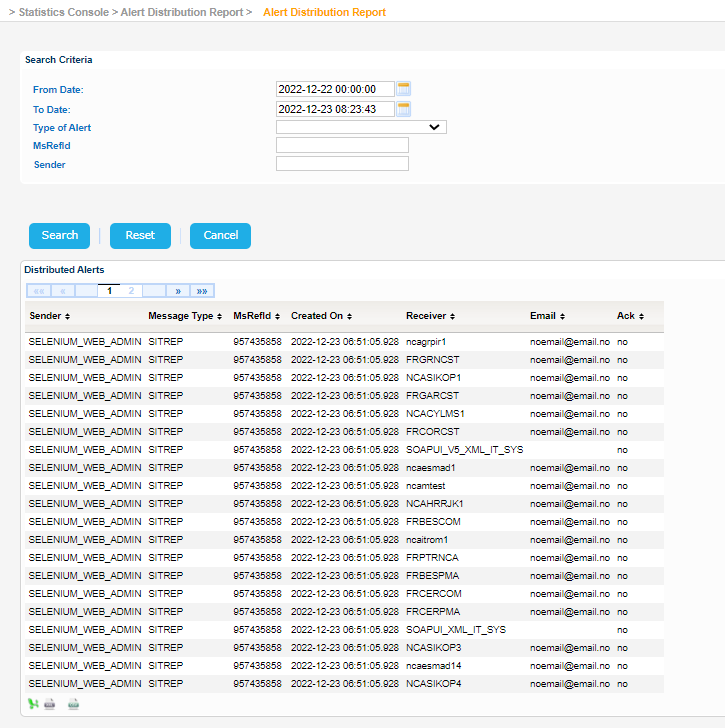
Navigate to Statistics Console > Alert Distribution Report > Alert Distribution Report.
The application will present a search form with the following search criteria:
- From Date
- To Date
- Type of Alert
- MsRefId
- Sender
Fill in the search criteria and click on Search button.
The application will present a list of Distributed Alerts that meet the search criteria.
For each record in the search results the following info is presented:
- Sender
- Message Type
- MsRefId
- Created On
- Receiver
- Emal
- Ack (Acknowledged)
Export the search results in Excel, XML, CSV format by clicking on the respective icon on the bottom left side of the search results table:
| View file | ||||
|---|---|---|---|---|
|
| View file | ||||
|---|---|---|---|---|
|
| View file | ||||
|---|---|---|---|---|
|