
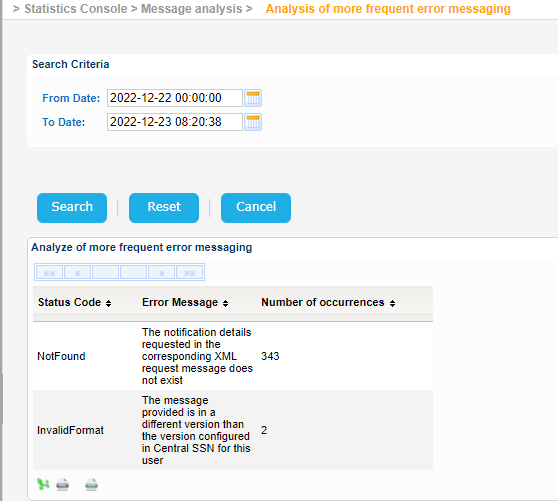
Navigate to Statistics Console > Message analysis > Analysis of more frequent error messaging.
The application will present a search form with Date/Time criteria.
Select the values of your preference and click on Search button.
The application will present a list of the most frequent error messages that fulfill the search criteria.
Each error message includes the Status Code, the Error Message itself and the Number of Occurrences:
Export the search results in Excel, XML, CSV format by clicking on the respective icon on the bottom left side of the search results table:
| View file | ||||
|---|---|---|---|---|
|
| View file | ||||
|---|---|---|---|---|
|
| View file | ||||
|---|---|---|---|---|
|