
...
Click on Submit button and the Vessel along with the rest of the details, recorded in the previous step, will be presented in the following updated form:
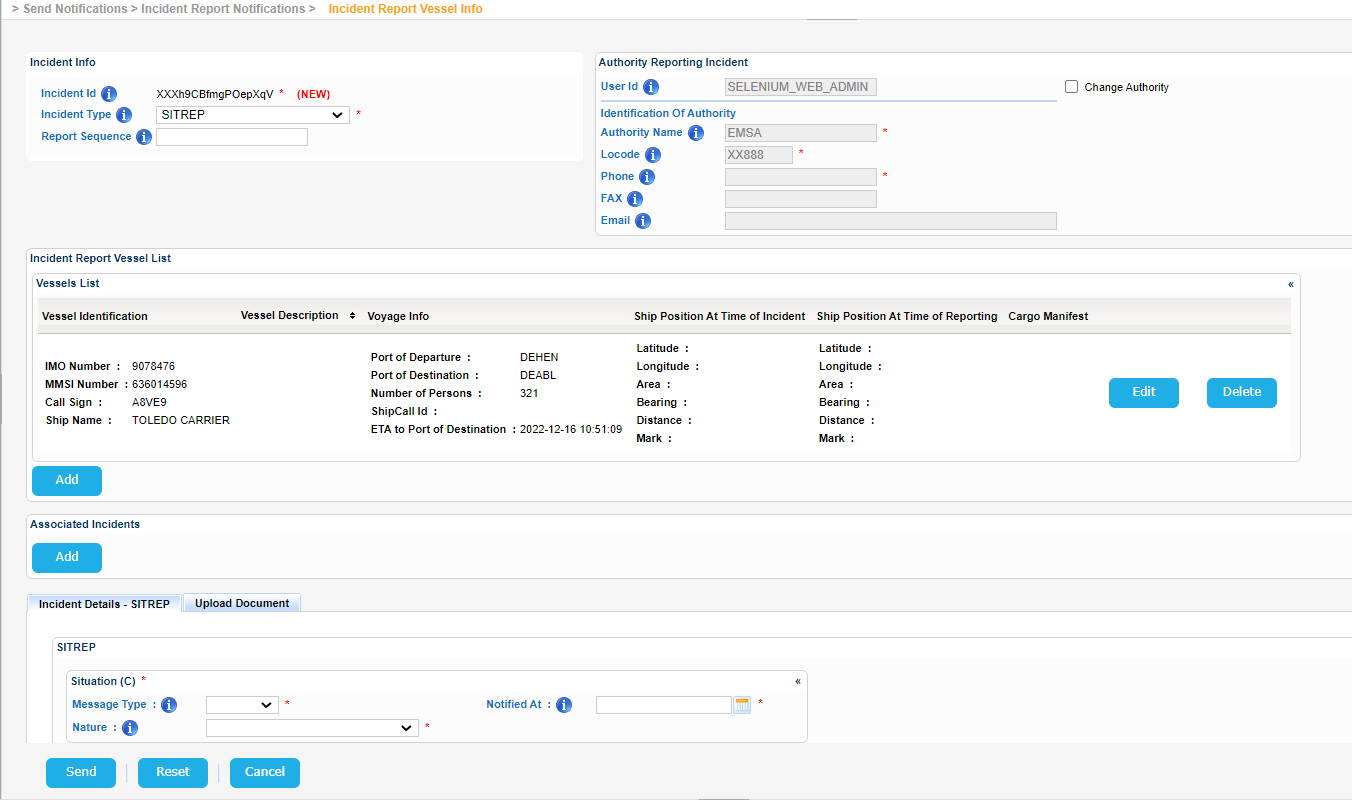
Scroll down to the Distribution section and click on the Select Recipients button.
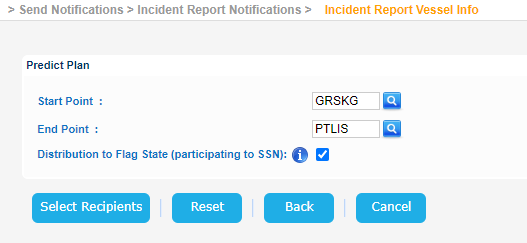
The application will present a new screen where you need to define for a start the Start and End Points.
So for a trip starting from Greece/Thessaloniki and ending in Portugal/Lisbon the relevant Predict Plan form will look like that:
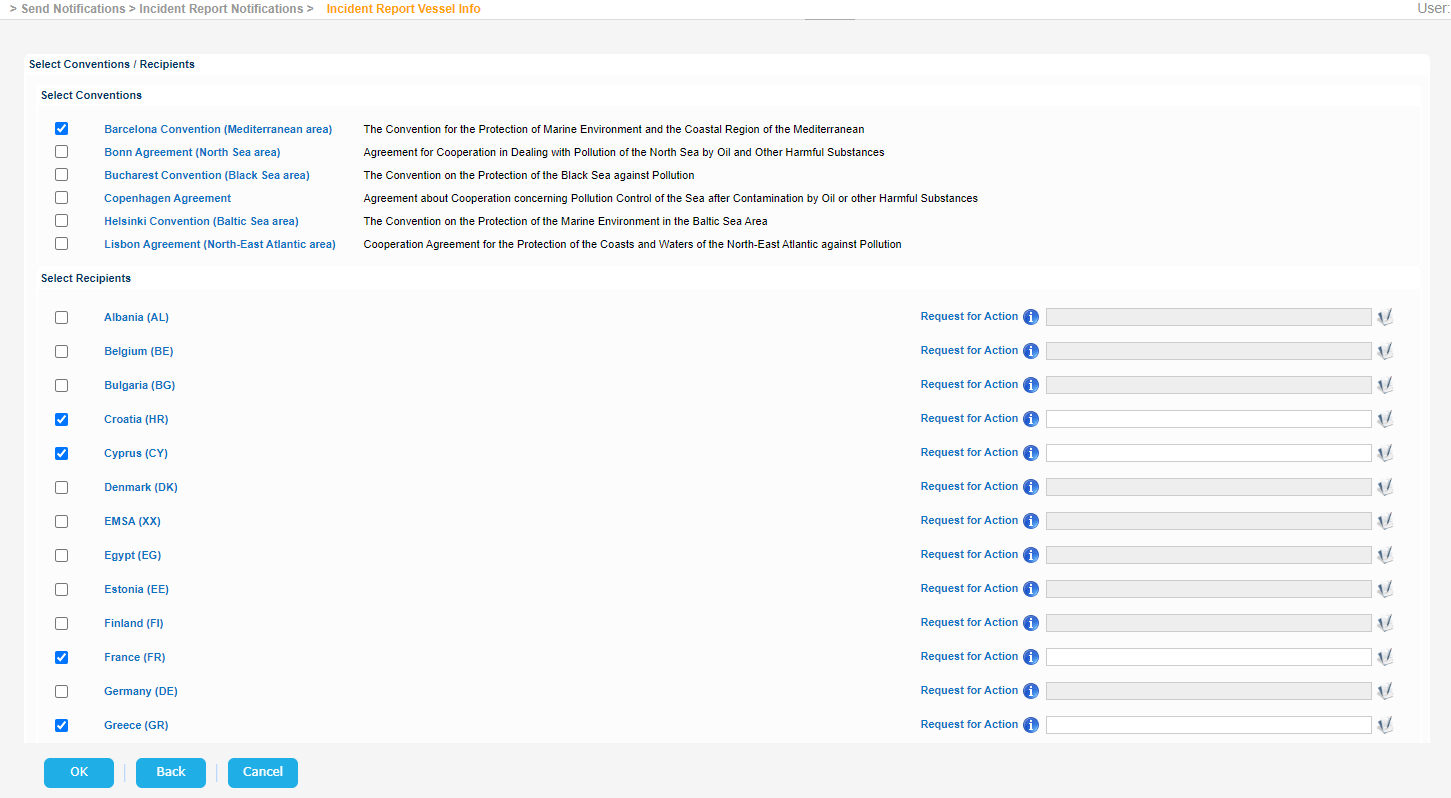
Click on Select Recipients button and a new screen will be render where you need to choose the recipient either as members of a selected Convention or as individual Countries.
Click OK button and the selected values will be transferred in the initial Create Incident Report form:
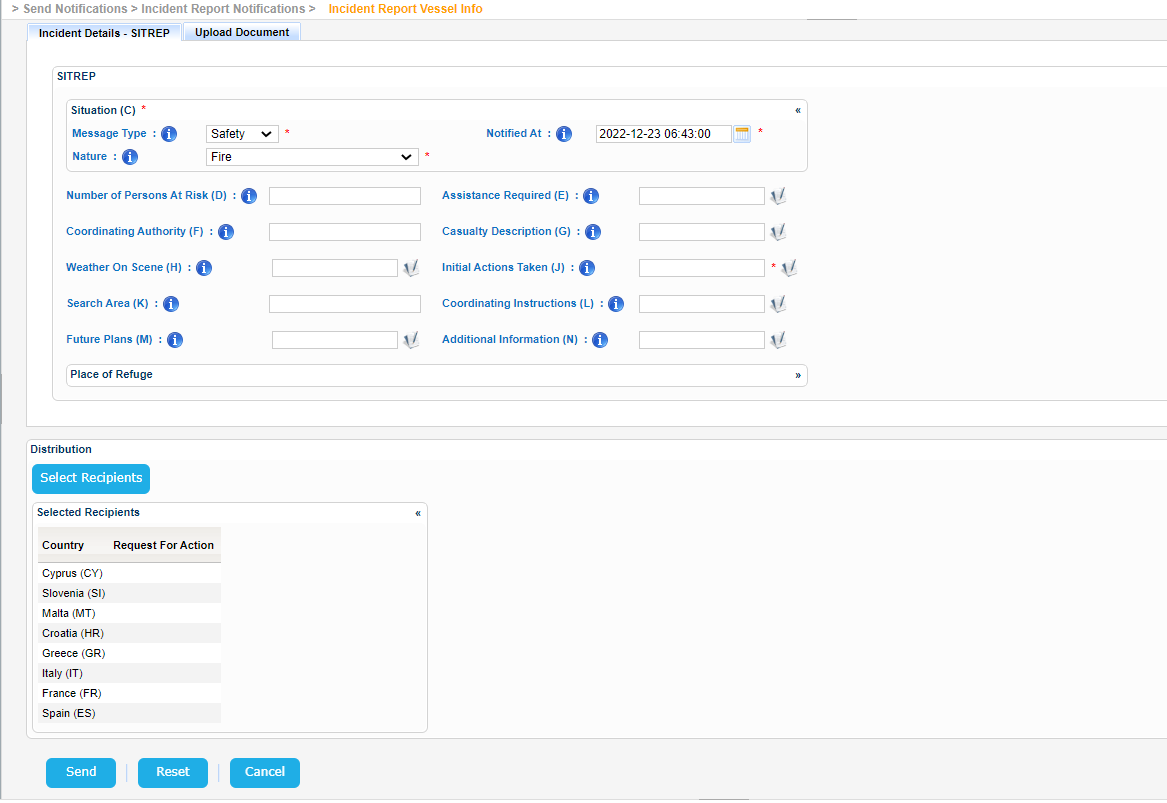
Click on Send button.
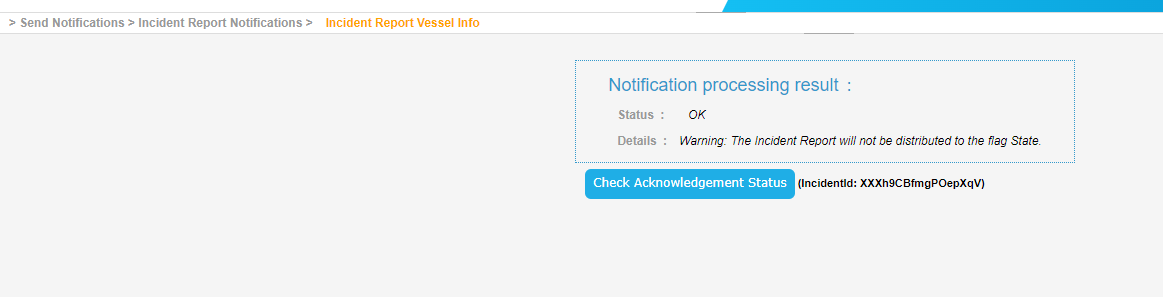
The Incident Report Notification will be send and the application will present the following message.
While waiting for the the Distribution Acknowledgment Status the following message will presented:
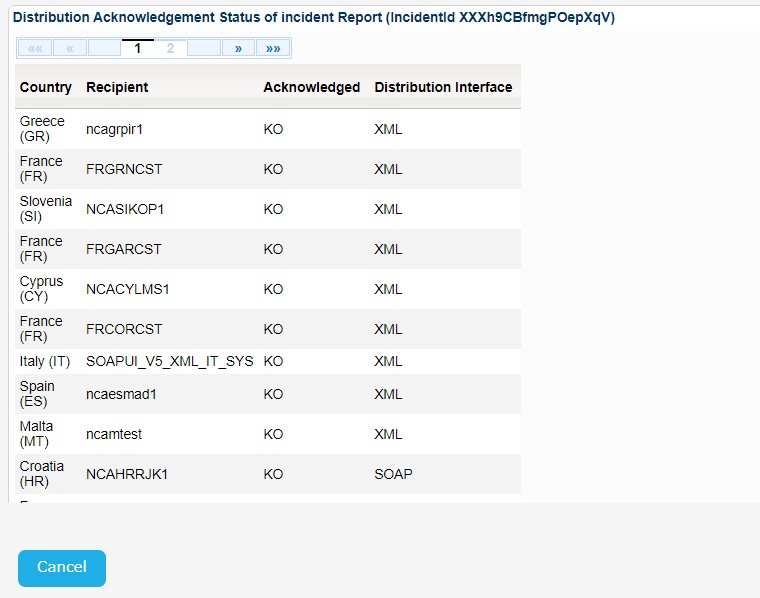
Eventually the list of the recipient countries will be presented in a table:
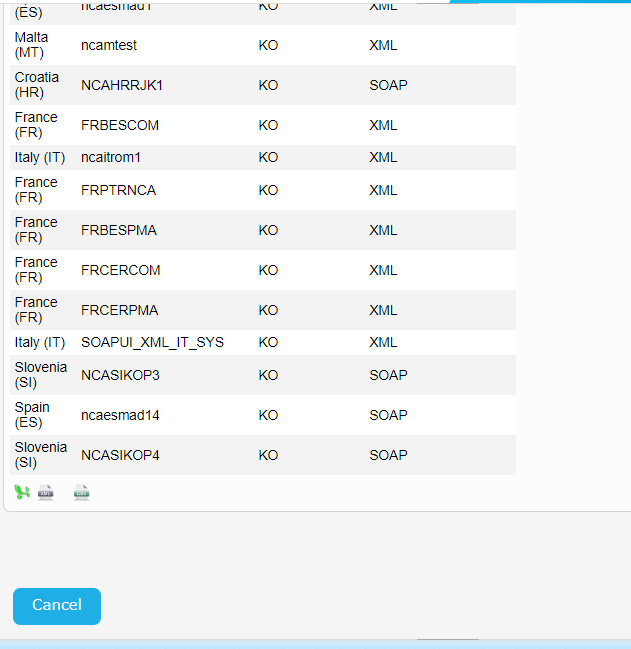
Export the Recipient Countries by clicking on the Excel, XML, or CSV option at the bottom left side on the table.